Back to Projects
Project 04 / 15

Project 04 · Simulator

Agriculture Training Simulator

A hardware and software venture that brought agricultural machine training into a simulator.

  • Simulator
  • Training
  • Hardware
  • Leadership
Genre:
Training Simulation
Scope:
Creative Direction · Quest Design · Level Design · UX/UI · Art Direction
Development Time:
2+ Years
Team Size:
2
Tools:
Unity · Blender · Figma · Photoshop
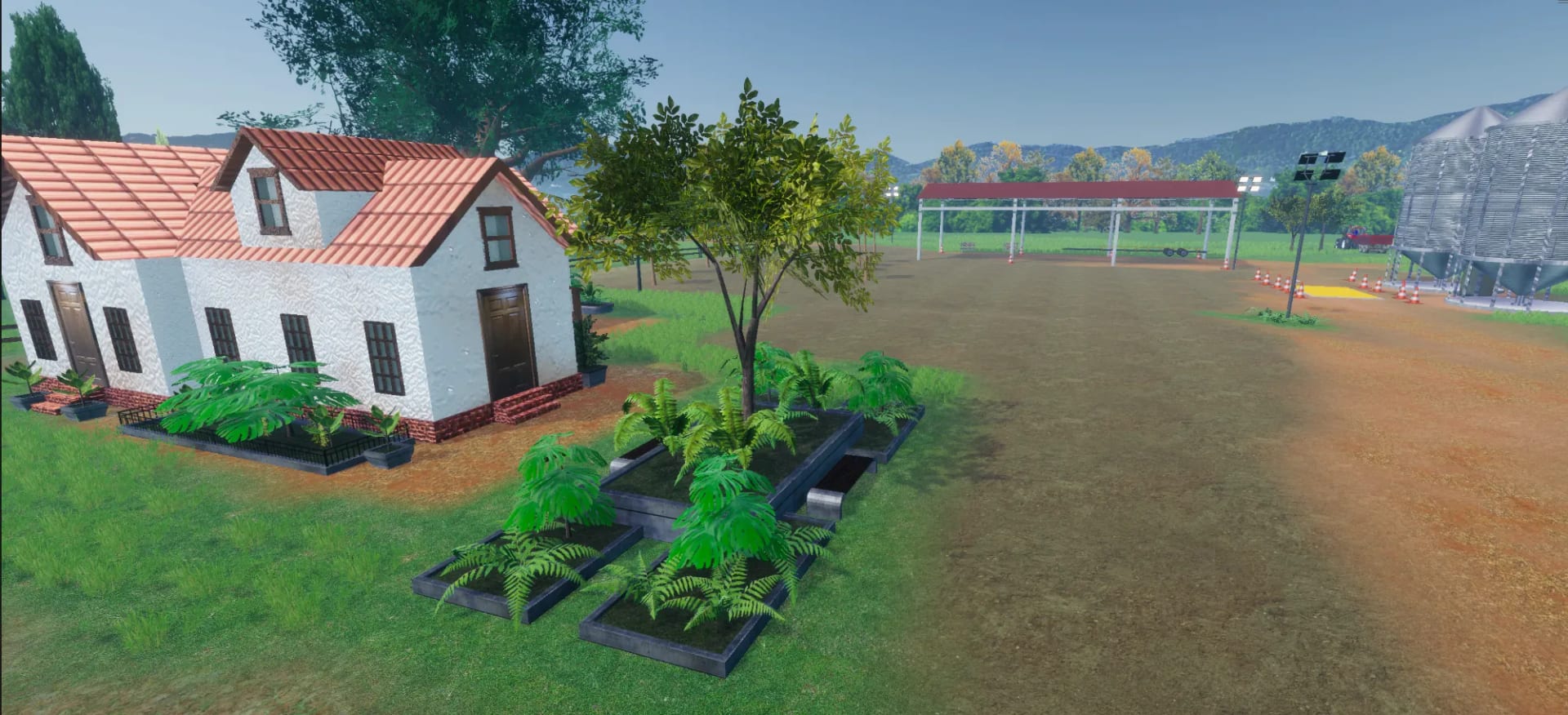
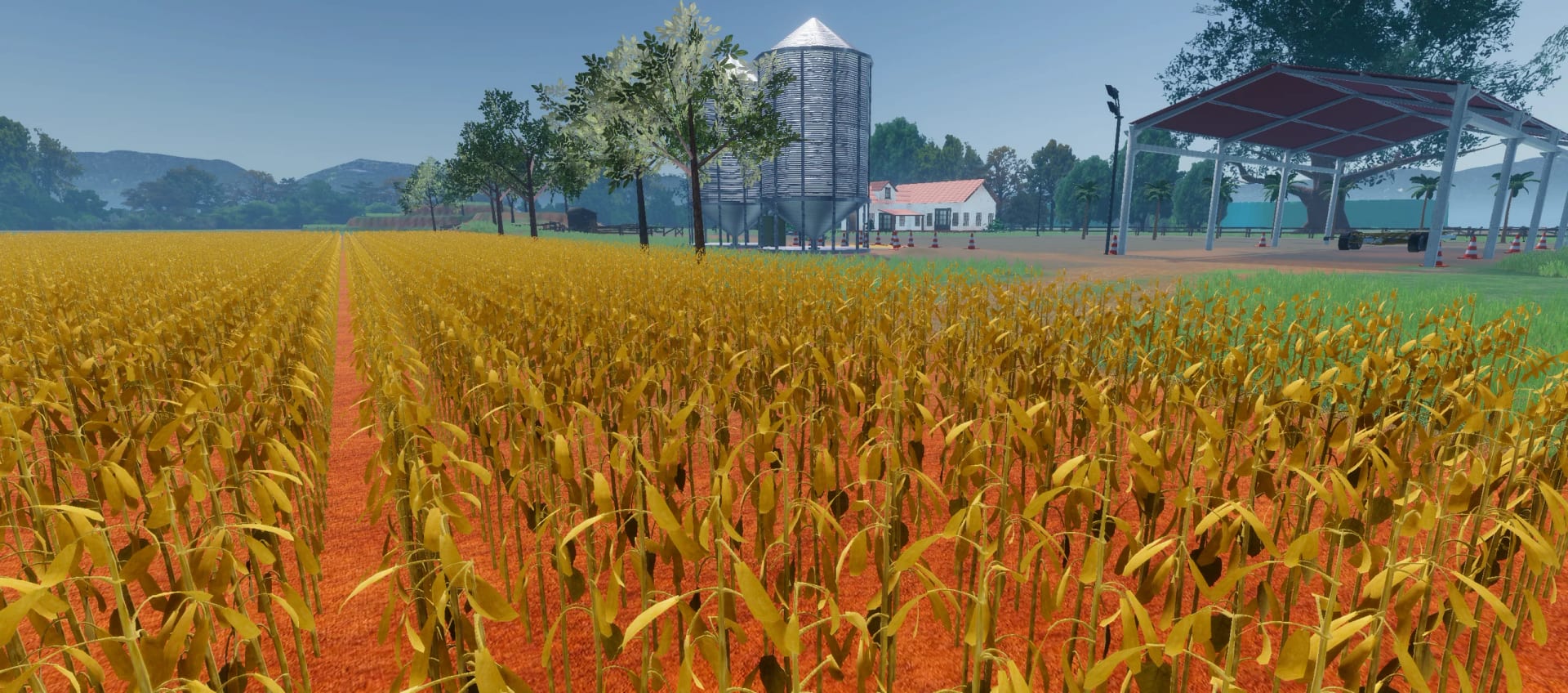
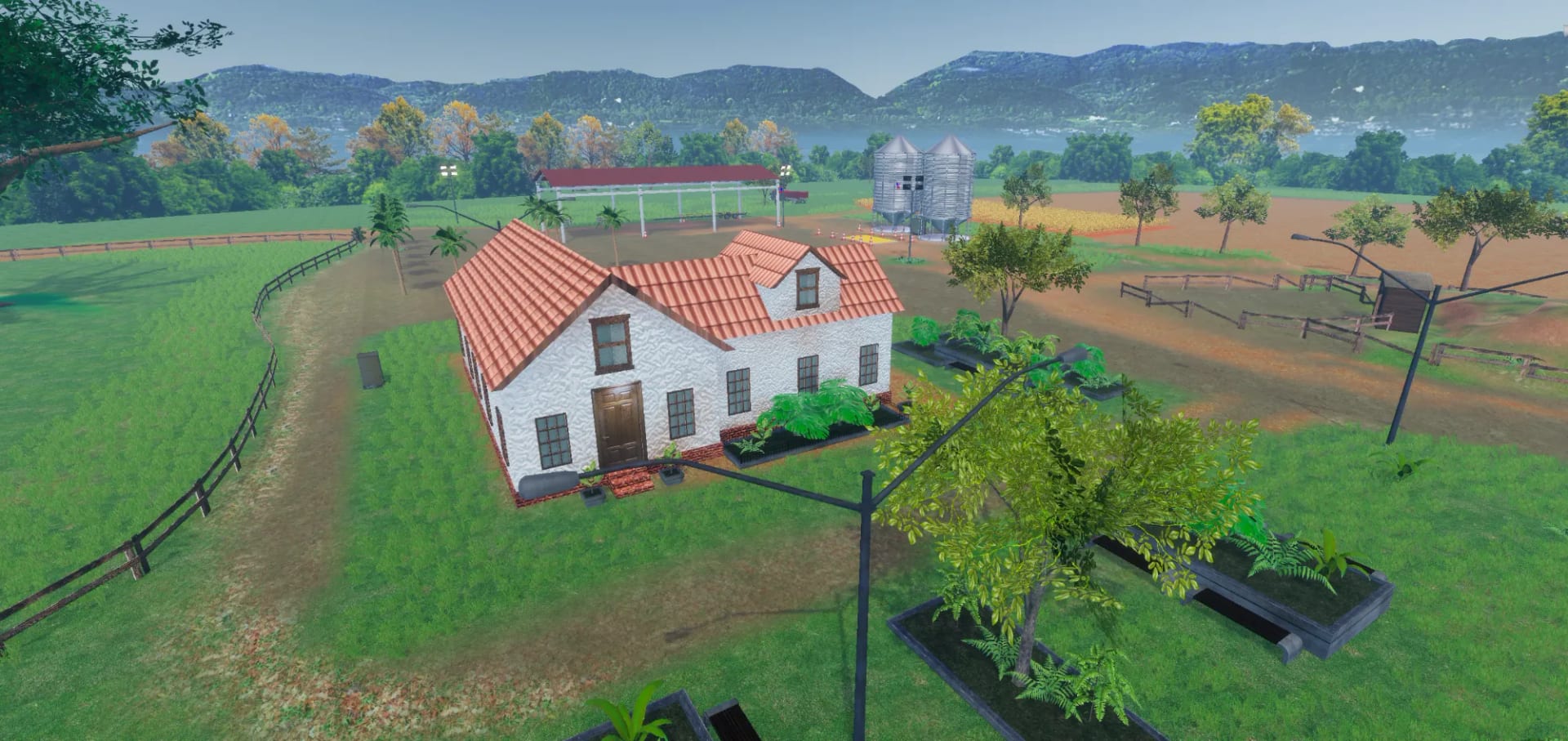
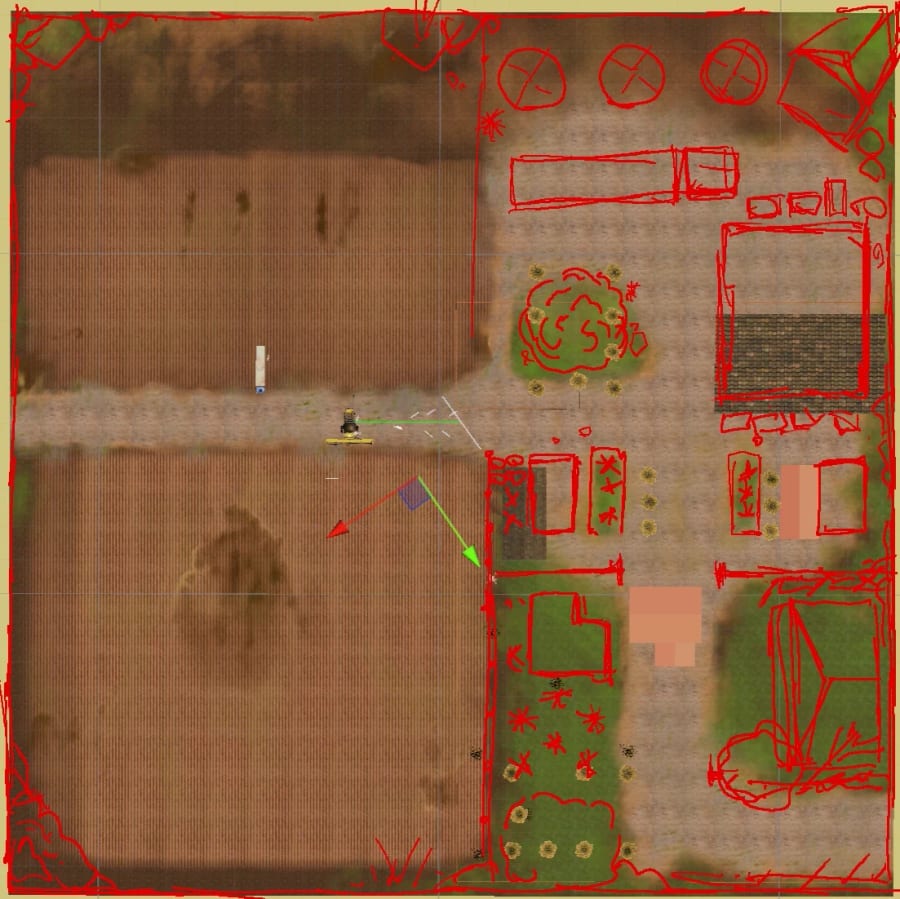
The farmstead from above, with the house, the open shed, the silos and the soybean field

Project Resume

Project resume

01

Overview

A hardware and software venture of agricultural machine simulators, true to the real machine in physics and control, built to train operators and to stand out at the country's biggest fairs.

  • Platform PC · VR · Mobile
  • Team Size 2
  • Duration 2+ Years
  • Engine Unity

Key Features

  • Real speed, physics, controls and precision in every simulator
  • A gamified training system of trainings and stages
  • A 52-step onboarding and a ten-step fair version
  • Our own hardware, built to run the software
  • Stylized realism on a Brazilian farm
  • Autopilot, GPS and cruise control as on the real machine

My Role

Chief Creative Officer & Game Designer

Led the venture's software with my tech partner, set its direction and quality, and designed the quests, the level, the UX and the art.

  • Led the team, the pitches and the roadmaps
  • Designed the quests, the level and the UX
  • Directed the art and built the 3D and the look

  • Creative Direction
  • Quest Design
  • Level Design
  • UX/UI
  • Art Direction
  • Pitching
02

Design Brief

Training a new operator for a combine harvester was slow and expensive, on the real machine, burning fuel and time. A partner company that sells physical simulators joined my studio in a venture to change that, with simulators of New Holland and Case machines, for training at dealerships and farms and for the line at Agrishow and other agricultural fairs.

Constraints

  • A real procedureTeach each machine's standard procedure, in the order its engineers teach it.
  • Real hardwareRun inside a physical cabin with our own panels, joystick and mirror screens.
  • Two audiencesA full training course and a short, complete experience for the line at a fair.
  • A better lookBeat simulators that left the manufacturers unhappy, without losing performance.
03

Design Goal

The design goal was to train. An operator who drives a combine harvester had to find the same machine in the simulator, with true physics, the same controls and the same handling, and follow the same process they follow in the field. The course had to teach that process in an easy, linear way, one step at a time, so a first-time operator could learn it, and look as close as possible to the real machine and farm.

From the simulator to the field

Learn. Apply. Operate.

  1. LearnLearn each step in a gamified quest system.
  2. ApplyApply your real-life knowledge to the machine.
  3. OperateTake the same process to the real field.

Player Experience Pillars

  • True to the machineThe real machine's experience.
  • One step at a timeLearn the machine's real pipeline.
  • Always one goal aheadOne highlight area, one arrow.
  • Same as the fieldThe same process of the real job.
  • Software that sellsA look that adds value to the cabin.
04

Design Solution

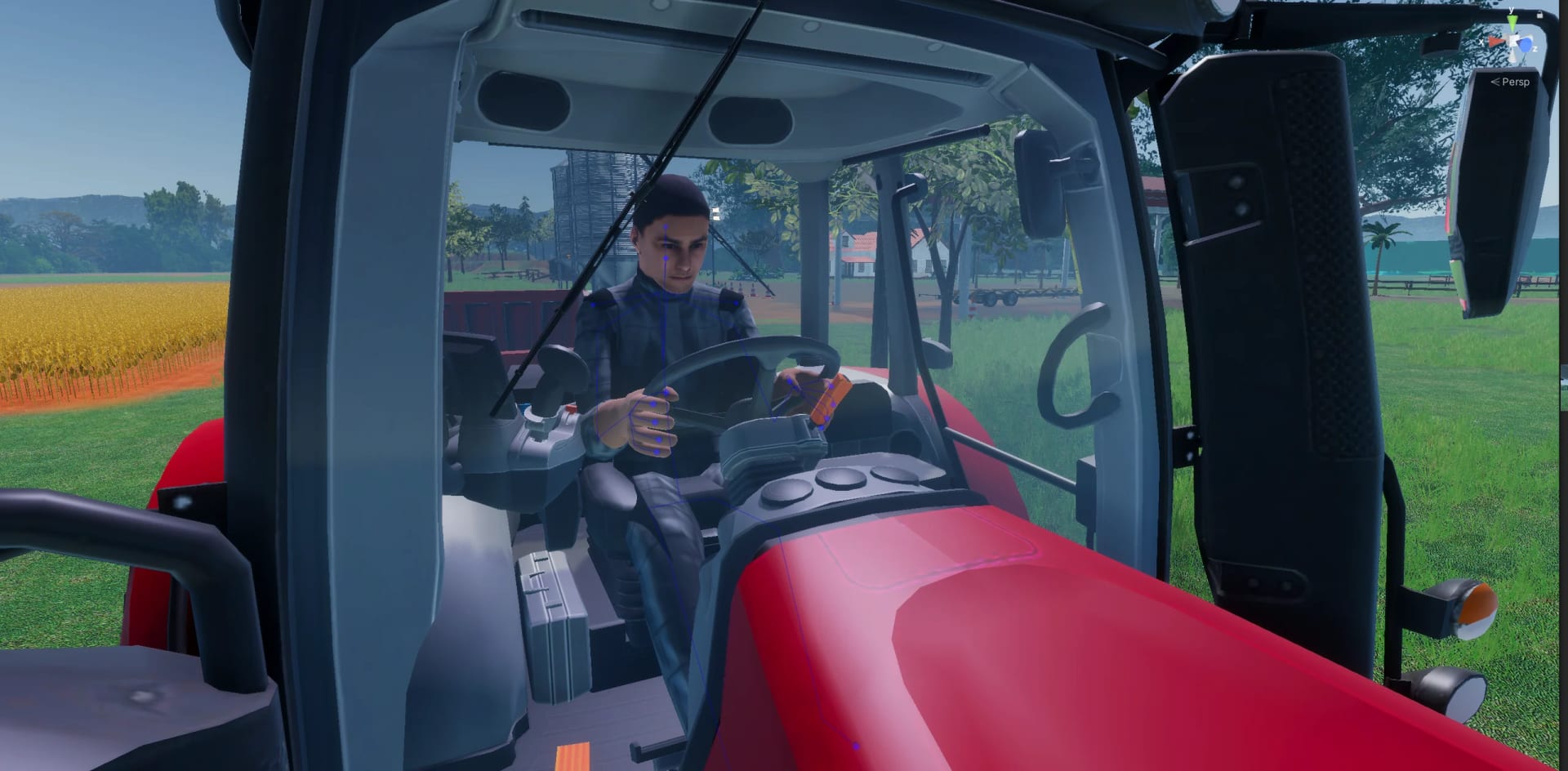
The heart of the venture was the combine harvester simulator, built for the New Holland and Case machines, and every other project followed its line. The operator sits in a cabin with real or rebuilt controls and goes through the whole job, from starting the engine to harvesting the rows, unloading into the grain cart and storing the header in the shed. Quests on waypoints teach it one highlighted step at a time, with a full course for training and a ten-step version for fairs.

Key Design Choices

  • True simulationReal speeds in every gear, real controls and real sounds, so operators repeat their maneuvers exactly.
  • Quests on waypointsOne highlighted step at a time, with an arrow to the next, completing on its own as the operator works.
  • Trainings and stagesEvery training splits into stages, so a course can repeat one task or start an operator further ahead.
  • Our own hardwareA panel and an ESP32 joystick of our own, a digital panel and mirror screens, in simple and premium tiers.
  • A level for maneuversWaypoints placed for the real physics of each machine, and space on the map for every future quest.
05

World & Visual Identity

The goal was a place operators recognize and understand at once, close to their daily life on a Brazilian farm, under a warm and sunny light. The crops had to be identifiable to the people who work with them, and the look is a stylized realism, more vivid than raw realism.
Visual Principles

  • A Brazilian farmsteadA place close to the operators' daily life.
  • Stylized realismMore beautiful than raw realism.
  • Warm and sunnyWith seasons, day and night across the farm.
  • Based on realityCrops and elements that match the real ones.
  • Machines up closeRebuilt to run light and fit the look.
06

Results & Learnings

Results

  • Loved by the manufacturersTwo global manufacturers that had been unhappy with earlier simulators loved the look, the design and the physical simulator of this one.
  • Six projects, 20 versionsLed six projects on PC, VR and mobile across about twenty versions, each delivered in one week to one month for fairs and meetings.
  • Shown at AgrishowShown yearly at Agrishow, Latin America's largest farm fair, and at most farm events in Brazil, where about 10,000 people drove and learned the machine.

Learnings

  • Simulators must simulateRealistic physics needs good game design around it, so an operator understands how the machine behaves and can repeat it with the real controls in the field.
  • Familiarity builds trustA simulator that shows people their own work has to feel familiar first. The machine, the farm and the process they recognize made operators trust it.
  • Defend the qualityWe defended every design and visual decision to the partner, at times building a prototype only to prove that the version they asked for did not work.

Media

The work, up close

Project gallery · 25
The farmhouse with planters, grass and soil, and the silos at the edge of the yard

Roles

Roles & Responsibilities

Leadership

  • Led the software of the venture with my tech partner
  • Set the direction and the quality of all six projects
  • Coordinated business, marketing and assembly staff
  • Made every design decision outside the code

Pitch & Business

  • Wrote and presented every pitch deck of the venture
  • Pitched to investors, fairs and other companies
  • Negotiated budgets and values with the partner
  • Built roadmaps for the whole product and its future

Quest & Narrative Design

  • Designed the quest system on waypoints and highlights
  • Designed the training selection with its training stages
  • Wrote every quest text, tooltip, training and stage name
  • Wrote every narrator line and worked with the narrator

Level Design

  • Designed the map, the routes and the populated areas
  • Placed waypoints so real physics draws each turn
  • Laid out the farm around the places of each training
  • Funneled the tractor route to protect the crop

UX & UI

  • Designed the UX of the simulator and its panels
  • Designed diegetic and world interfaces for VR
  • Recreated the UI of the machine's original monitor in Unity
  • Designed the mobile UI with contextual buttons

Art Direction

  • Directed the stylized realism of the farm and the machines
  • Set the cameras, the lighting and post-processing
  • Designed the look and ergonomics of the physical simulator
  • Created the icons of the physical and digital control panels

3D & Optimization

  • Modeled every visible 3D asset except the machines
  • Rebuilt the machines' engineering models for real time
  • Painted the ground layers and placed the crops and foliage
  • Built the harvest effects and the VFX of grain and straw

Research & Hardware

  • Drove the machines and read 500-page technical manuals
  • Talked with engineers and built a glossary of terms
  • Set up the simulator and the headsets at fairs
  • Soldered wiring and sanded 3D-printed parts of the hardware

Full Case Study

Agriculture Training Simulator Case Study

The Venture

Feature Introduction

One venture, six projects

Training operators on the real machine was slow and costly, burning fuel and time. The venture moved that training into a simulator course for dealerships, farms, Agrishow and other farm events. My studio built the software and a partner company sold the physical simulators, from a simple tier with market controllers to a premium cabin made by hand. That split defined the design problem. New Holland and Case had tried other simulators and were unhappy with the look and the design, so the software had to teach the real job and also justify the hardware it ran on. The partner had the final word on the business, and the product direction was set by me and my tech partner, recognized by Unity for his vehicle physics. I led everything outside the code, from the experience and the art to the pitches, the roadmap and the nine people in business, marketing and assembly.
Design Principles

  • Match the real machine so an operator repeats every maneuver in the simulator, with the same controls and the same speed as in the field
  • Teach the industry's standard procedure one step at a time, as engineers taught it to us, so a new operator learns the machine's real pipeline
  • Make the software beautiful enough to raise the value of the hardware it runs on, where most simulators on the market were plain
  • Present the realistic physics through game design, so an operator understands how the machine behaves and can repeat it in the field

The projects

New Holland Harvester

The main project · PC cabin · VR · Mobile

A New Holland combine harvester with the whole procedure, from starting the engine to storing the header in the shed, and the 52-step onboarding, in VR and on mobile too.

Case Harvester

PC cabin · Second manufacturer

A Case combine harvester for the second maker. It works much like the first, so the course kept its structure, while the machine, its controls and tractors kept their brand.

Case Cane Harvester

PC cabin · A different machine

A Case sugarcane harvester, a machine that works another way, from how it cuts to how it unloads, with its procedure and quests mapped again from its manual and the field.

Two Tractors

PC cabin · VR · Generic and New Holland

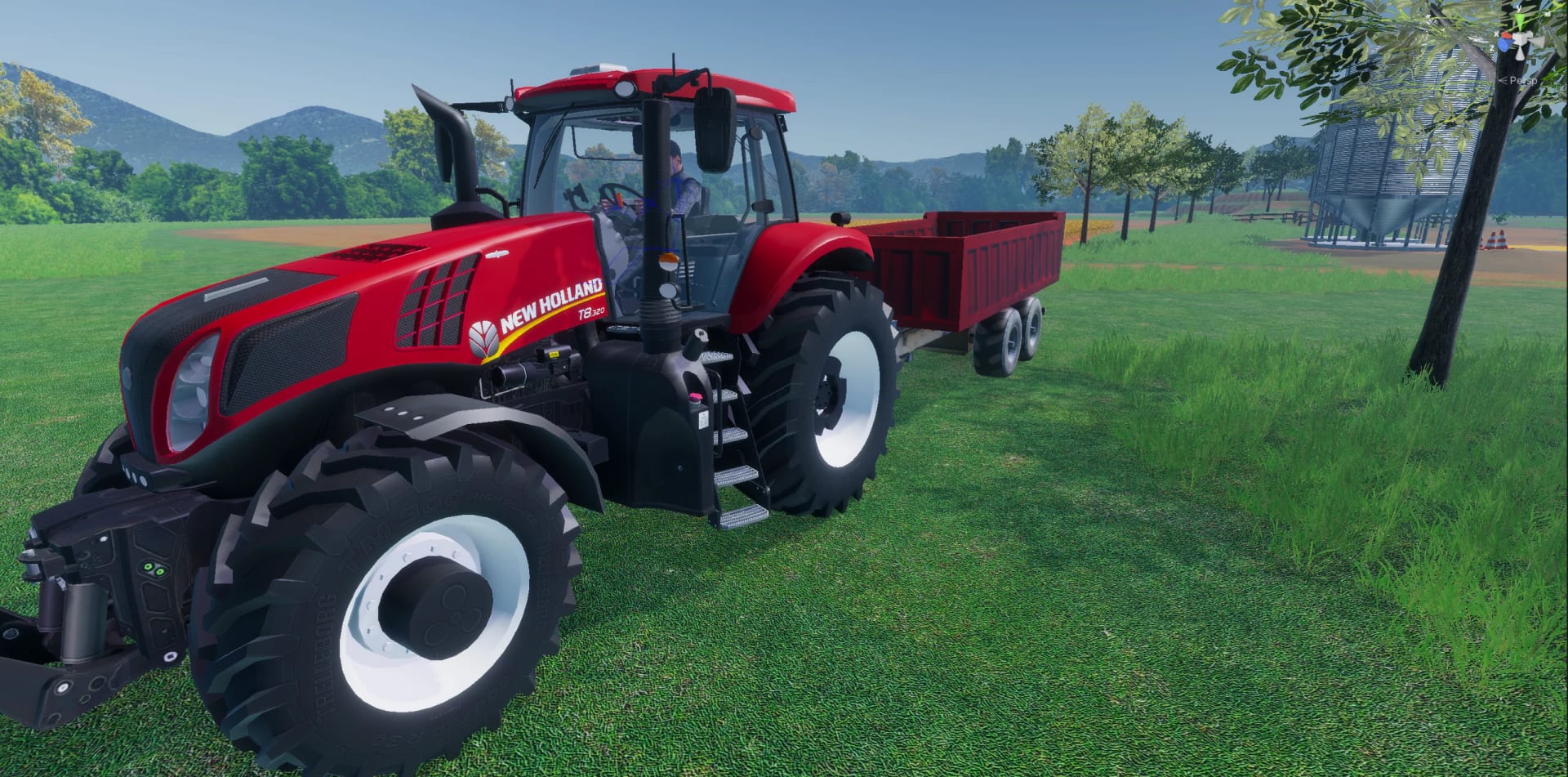
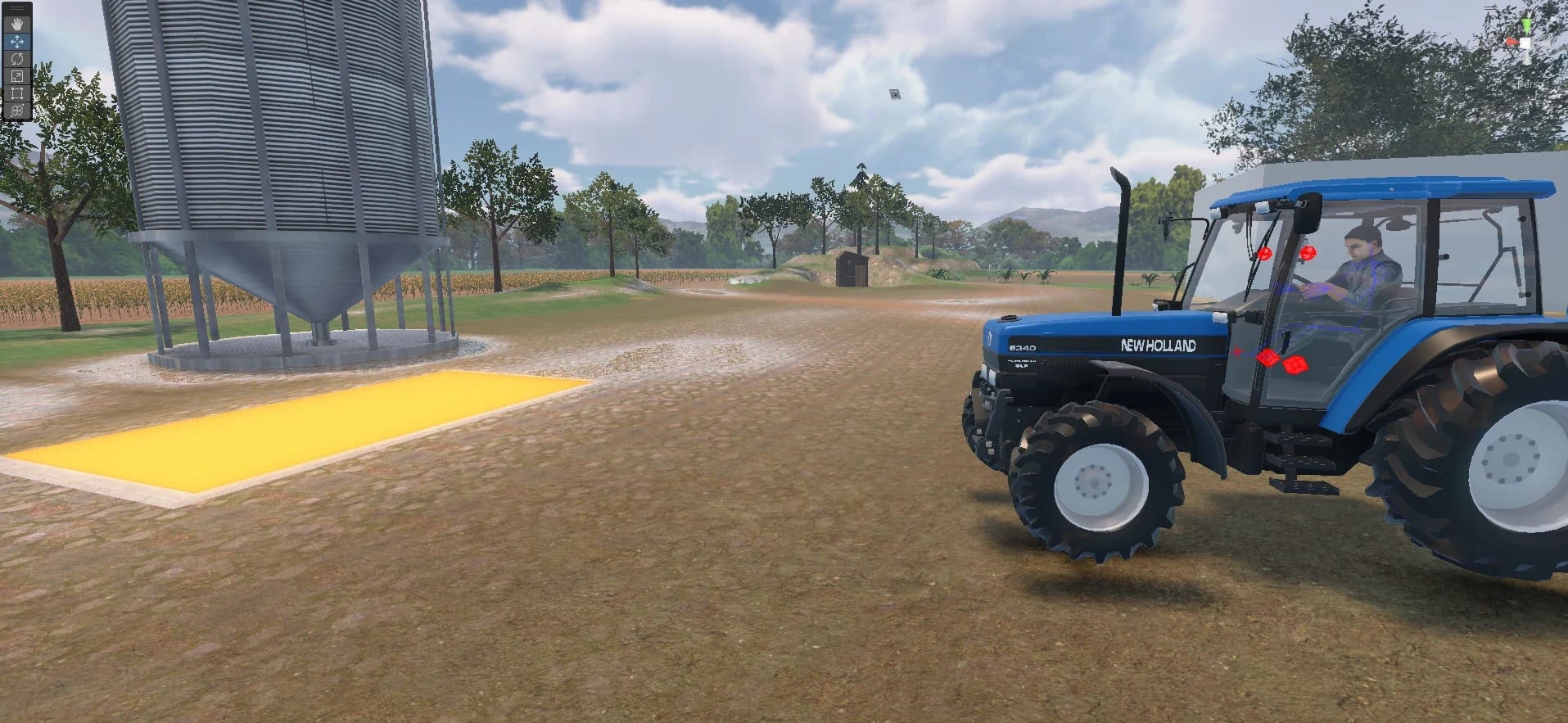
The tractor pulls the grain cart and the header trailer, on autopilot or by hand. A generic tractor ran in every simulator, a New Holland T8 joined later, and in VR it crossed the farm.

VR Presentation

The first project · VR

The venture opened with a VR presentation of how a combine harvester works, made for an event. It was my first VR work, so I studied VR UI and UX and designed every interface.

Mobile Showroom

Mobile · Rebuilt from scratch

A showroom from another supplier was heavy and ran only on PC, so we rebuilt it for mobile, with the machines on show, a voiced guide to each part and a quiz for leads.

WebGL Digital Twins

Web · Interactive · Instant loading

Digital twins of the machines in WebGL that open at once in a browser, where visitors open doors, switch on lights, change materials and compare models, all built for the web.

Feature Introduction

Driving your own machine

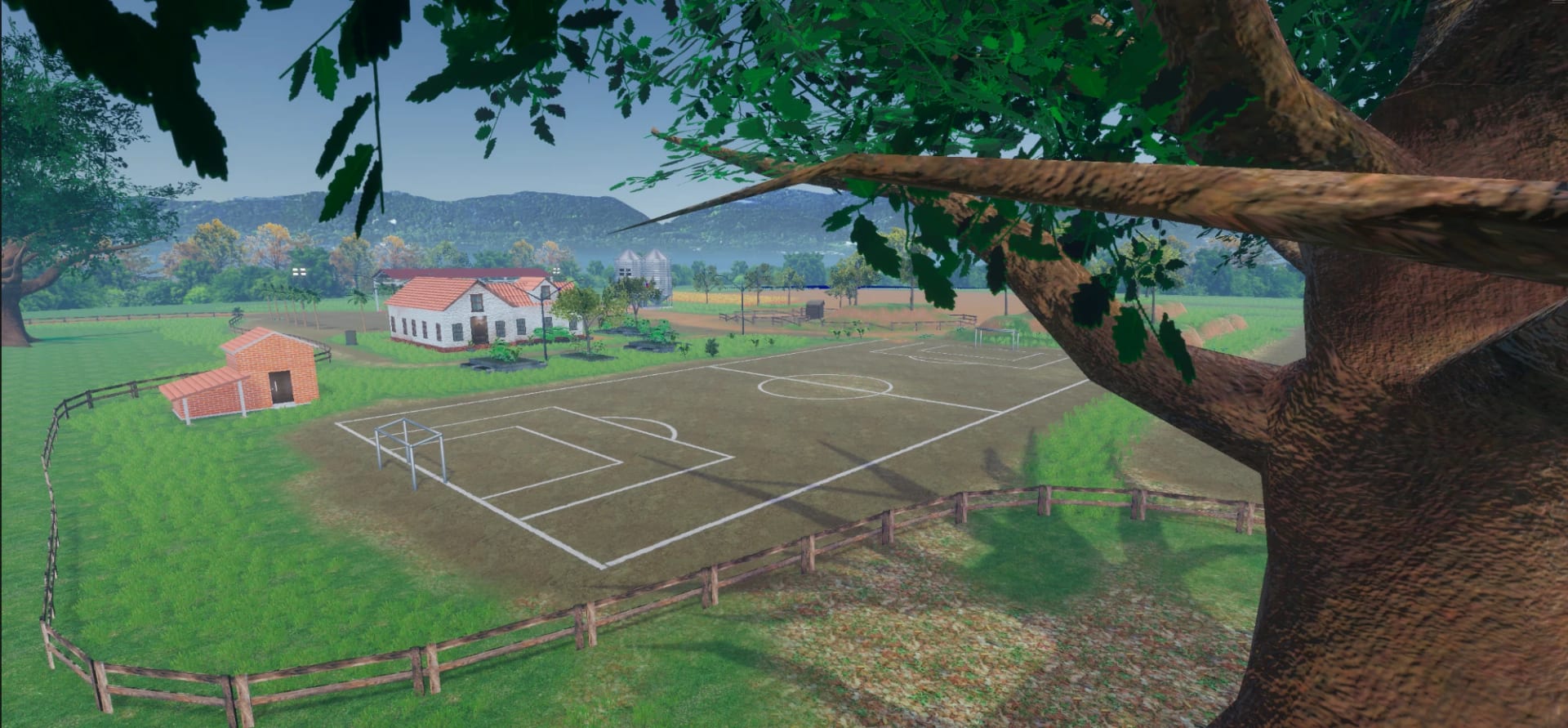
A dirt football pitch beside the farmhouse, with the silos behind

The fantasy at the heart of the simulators is simple. An operator who drives one of these machines every day should sit in the cabin and feel at home, with the same controls, sounds and view, on a farm they recognize. Familiarity comes before any instruction, because an operator who recognizes the place trusts the simulator and listens to what it teaches. So the world is the headquarters of a medium to large farm in the Brazilian countryside, with a dirt football pitch and the sheds and light poles operators see every day, under a warm light with seasons and day and night. Inside the cabin a radio plays music with ads where the brand talks about its machine, which turns a long session into a working day and gives the manufacturer a voice inside the experience. The farm also stays open for free drives, so a visitor can take the machine anywhere.

Design Principles

  • Make an experienced operator feel at home in the first minute, in a cabin and on a farm that look and sound like their own, from the seat to the radio
  • Recreate a Brazilian farm that operators recognize, from the sheds and light poles to the light of a sunny harvest day in the Brazilian countryside
  • Bring the routine of a real working day into the cabin, with the radio, the seasons and the passing of day and night, as in a real season of work
  • Turn the experience into a channel for the brand, with ads on the radio that talk about the qualities of each machine while the operator works

Simulation & Systems

Feature Introduction

The real machine, in a simulator

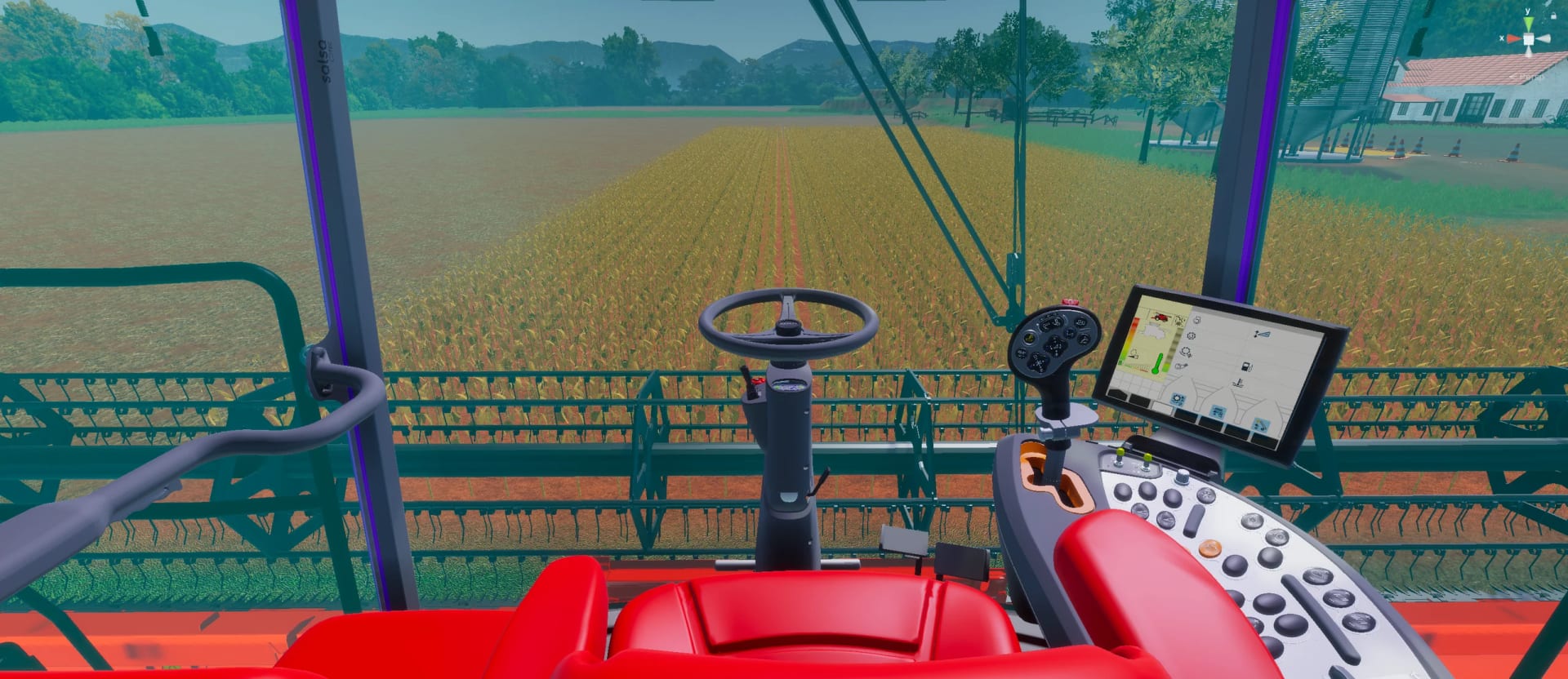
The 3D cabin of the combine harvester with the joystick, the monitor and the control panel

Purpose

True simulation is about physics, control and the feel of driving. My partner built physics true to each machine, and my work was the inputs and how the simulator presents them, so the machine answers in the cabin the way it does in the field for anyone who has driven it.

Design Goal

  • Run at real speed, so each gear behaves as it does in the field
  • Give every control the behavior of the one in the real cabin
  • Keep the physics intact and teach it through the procedure
  • Make the machine easy enough for a first-time driver at a fair

Key Areas

  1. 01 Real PhysicsSpeed True to Every Gear
  2. 02 Steering WheelDirect, Precise Control
  3. 03 Multifunction JoystickThe Feel of the Real Machine
  4. 04 Control PanelAbout Fifty Buttons
  5. 05 GearboxGear Changes as in the Field
  6. 06 Engine SoundsEach Machine as It Sounds
  7. 07 Header ControlsHeight, Tilt & Release
  8. 08 Real ManeuversReversing Into Tight Spaces

Feature Introduction

Systems that arrive when they help

A real machine carries more systems than a new operator can absorb at once, and a fair adds needs of its own, a crowd watching and only a few minutes for each visitor. I introduced each system as a step of the course, at the moment the procedure needs it, so the operator first does a task by hand and then feels what the system takes over, as a real operator learns it, one system at a time. Cruise control holds the speed between manual driving and the GPS autopilot, cameras move between the cabin, the outside and a stand-by view, and the cabin display mirrors the machine's own monitor. For fairs, a vehicle swap cuts the walk between machines, and mirror screens fed by cameras on the machine and an outside screen for the public route each image to whoever needs it, the operator inside the cabin or the line waiting outside.

Design Principles

  • Introduce each system when the procedure needs it, so the operator learns what it does by feeling what it takes over from their own hands on the controls
  • Keep every system true to the machine, so an operator who uses the autopilot in the field finds it working the same way in the cabin of the simulator
  • Shorten what slows a fair session, like walking between machines on the farm, without changing how the real job is done in the field
  • Show the harvest to the people around the cabin as clearly as to the operator inside it, on a screen built for the line of people waiting their turn

Feature Breakdown

The systems, in detail

01 Autopilot & GPSAutomation true to the machine
01

Autopilot & GPS

Automation true to the machine

The real machines harvest on autopilot, following a GPS route along every row, so the simulator had to as well. I placed the course's waypoints so the autopilot shows a perfect pass, and introduced it only after the operator has driven a few rows by hand, so its value is felt the moment it takes over the route.

Function

Show how easy the real machine is, with its automation at its best

Design Approach

Decisions made:

  • Keep the autopilot of the real machines, following a GPS route on the farm
  • Run the autopilot on the quest waypoints, placed so every pass lines up
  • Introduce the autopilot only after the operator drives a few rows by hand
  • Let the operator set the speed of the autopilot, as on the real machine

Player Impact

Allowed players to...

  • Watch the machine steer a perfect pass on its own, lined up with the last
  • Feel what the autopilot takes over after steering the first rows by hand
  • Discover how easy the machine is to run as it follows the route by itself
  • Set the speed of the autopilot themselves, keeping the pace of their work
02 Cruise ControlSpeed held, hands on the wheel
02

Cruise Control

Speed held, hands on the wheel

Cruise control holds the speed while the operator only steers, as on the real machine, where the joystick locks to keep it. I set it between driving by hand and the autopilot, so the operator hands over one task at a time and keeps the focus on the turn.

Function

Hand the machine over one task at a time, from hands to autopilot

Design Approach

Decisions made:

  • Place cruise control in the course between driving by hand and autopilot
  • Keep the joystick of the real machine, which locks halfway to hold speed
  • Hand the machine over one task at a time, the speed first, the route next
  • Tie every handover from the operator to the machine to its own quest step

Player Impact

Allowed players to...

  • Let go of the speed control and give all of their attention to the steering
  • Learn automation one task at a time, the speed first and then the route
  • Recognize the joystick lock they use on their own machine to hold the speed
  • Drive long rows at a steady speed without holding the joystick forward
03 In-Cab DisplayThe machine's own monitor, as a visual guide
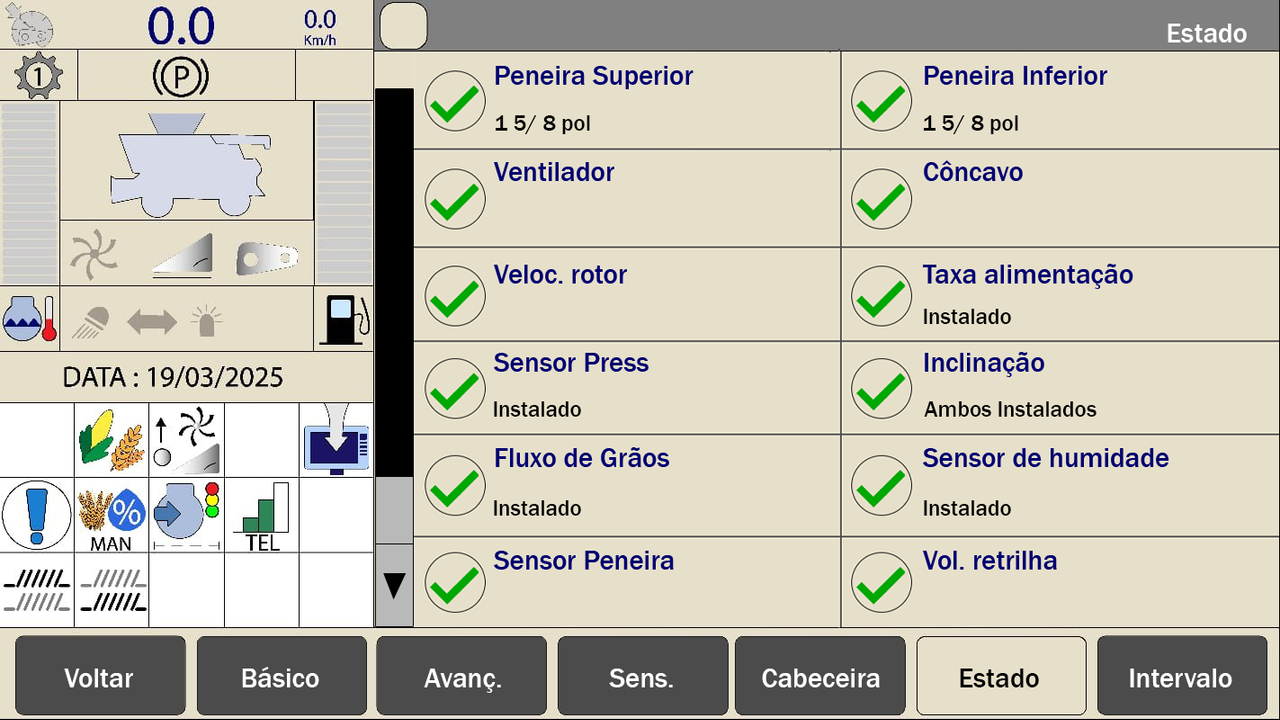
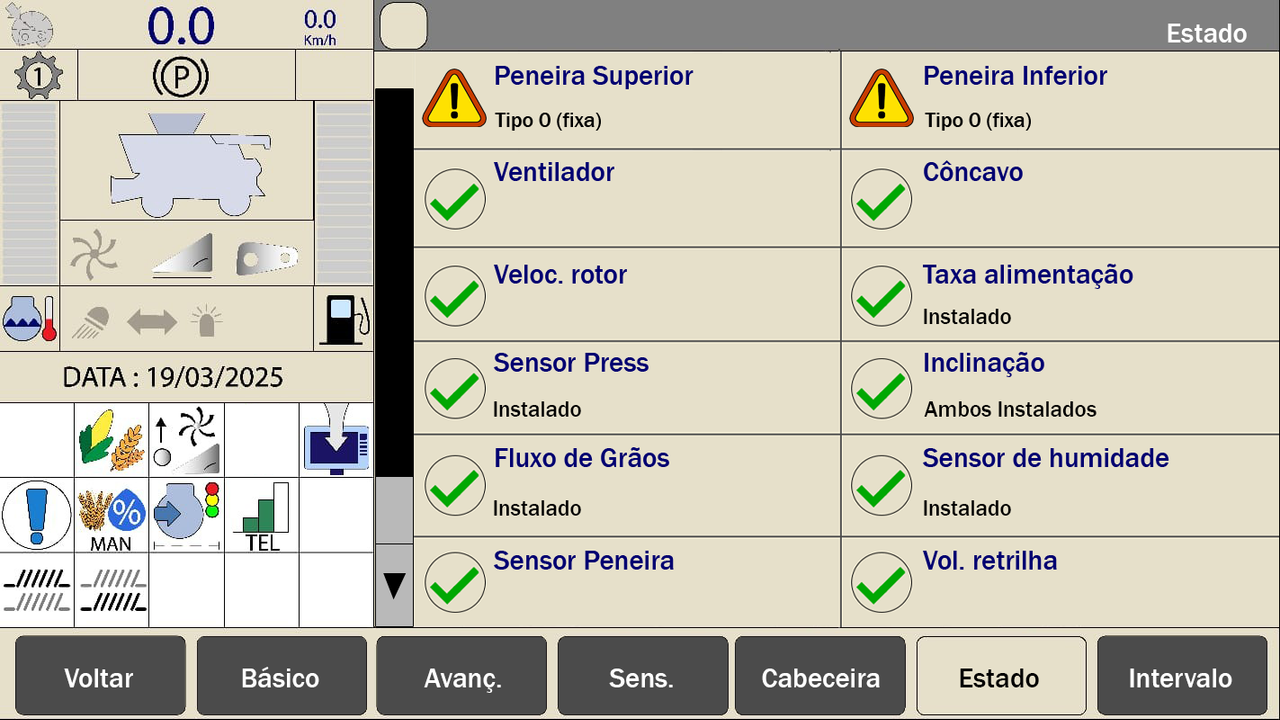
The recreated monitor showing the status of the sieves, fan, rotor and sensors
03

In-Cab Display

The machine's own monitor, as a visual guide

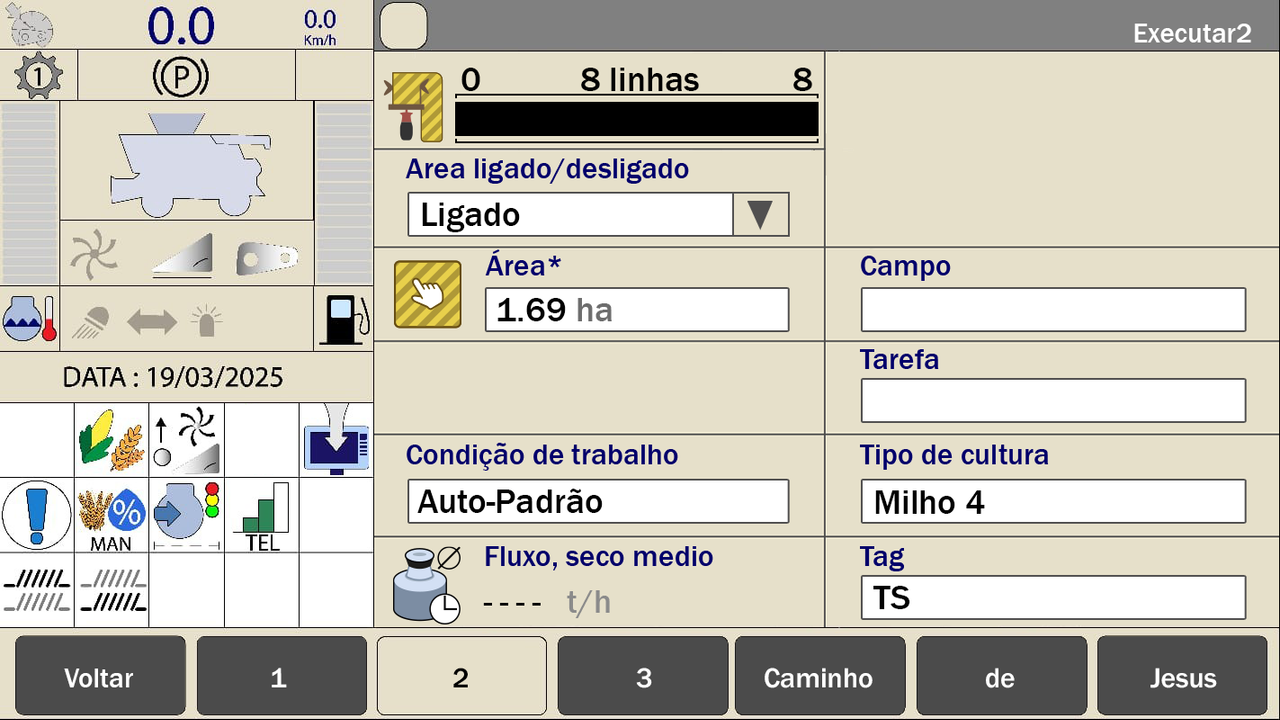
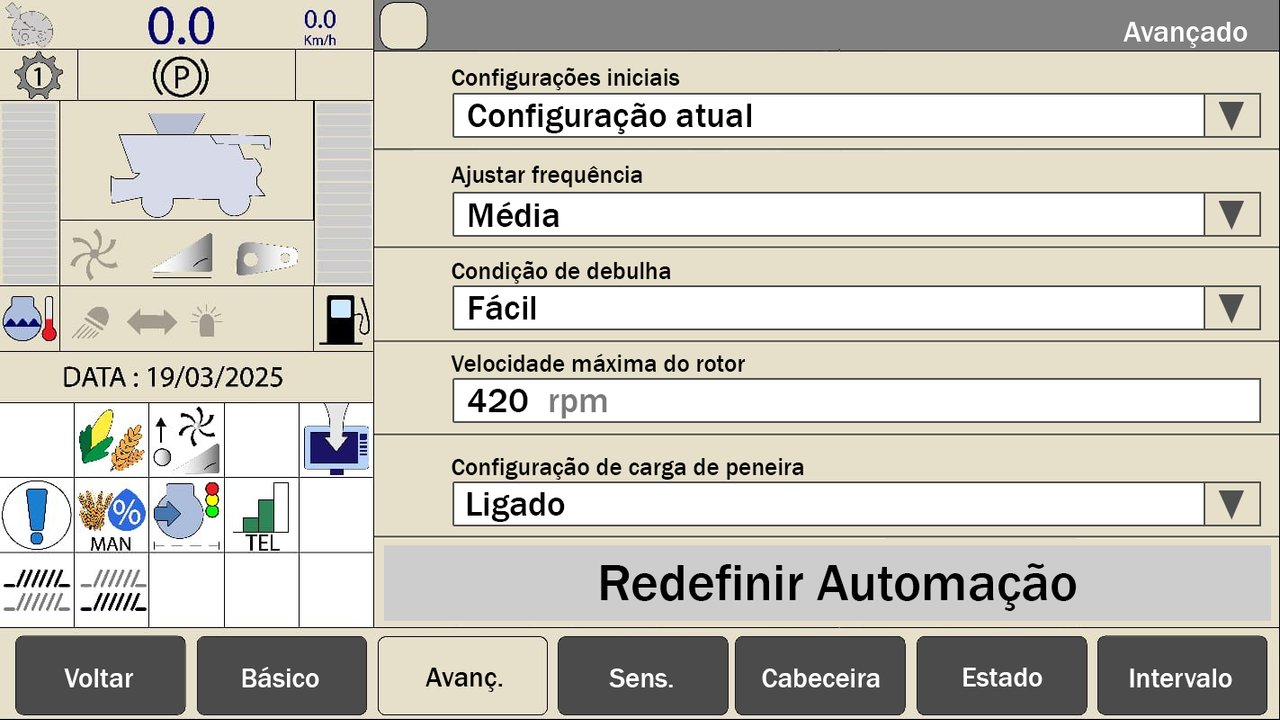
The cabin display is the machine's own monitor, rebuilt by me in Unity, every page of it. It mirrors what the operator does, so a gear change or the autopilot shows on it as on the real machine. It works too, from sensors to settings, though operators mostly use the buttons and keep it as a visual guide.

Function

Keep the cabin true to the machine, with the monitor drivers know

Design Approach

Decisions made:

  • Recreate the UI of the machine's original monitor in Unity for the cabin
  • Mirror every action of the operator on the display, from gears to autopilot
  • Keep the pages working, from the sensors to the settings of the machine
  • Let the autopilot start from the display as well as from the cabin controls

Player Impact

Allowed players to...

  • See each gear change and setting show up on the display as in the field
  • Recognize the monitor of their own machine inside the simulator cabin
  • Check the sensors and the status of the machine as they do on the real one
  • Finish the whole course with the buttons, using the display as a guide

Quest Design

Feature Introduction

Teaching a machine one step at a time

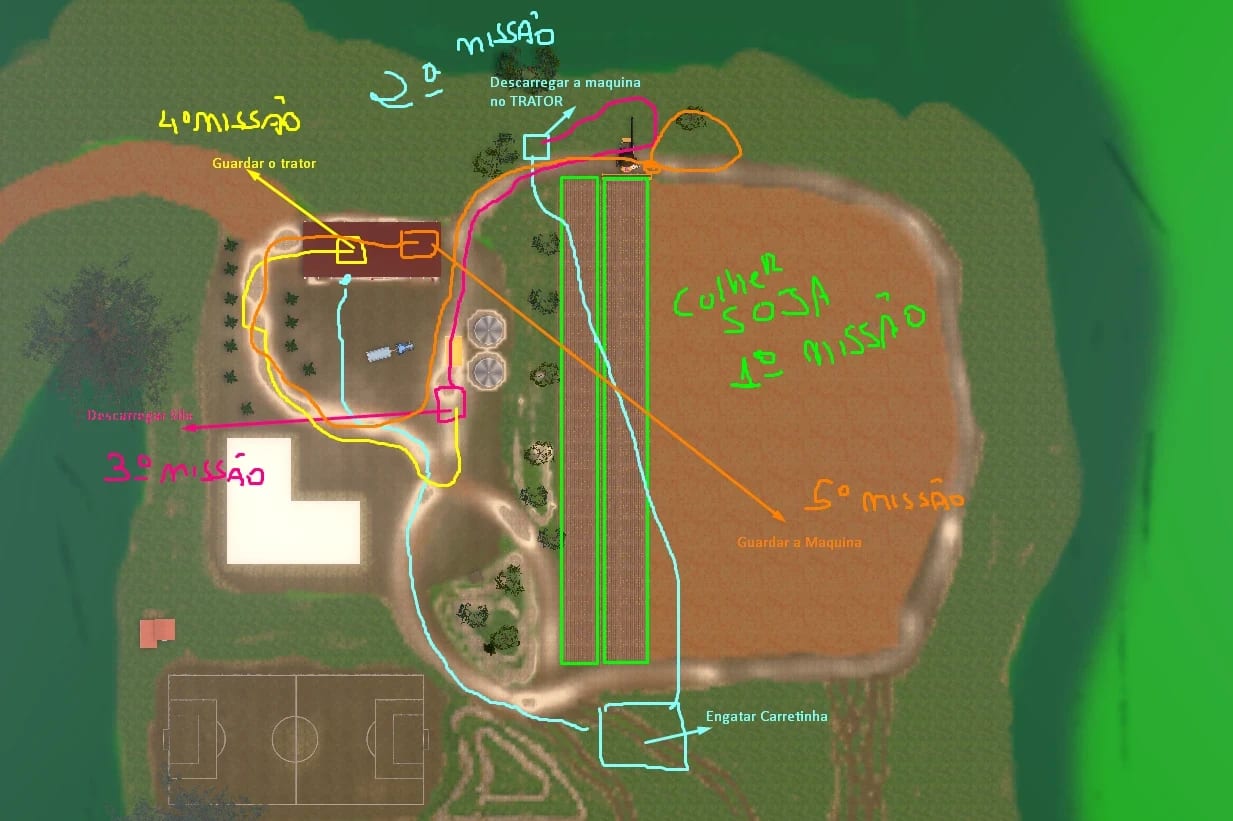
Top view of the farm with five mission routes drawn in colors, from harvesting soy to storing the machine

Learning a combine harvester means fifty-two steps in a strict order while driving a heavy machine at real speed. A checklist does not work in a moving cabin, so the course had to make the next action obvious and keep both hands on the controls. I set the order of every step with the engineers and operators who taught us the industry's standard procedure, and used five-hundred-page manuals, hours of training videos and my own time driving the machines to understand each part. Then I translated that procedure into quests on waypoints and highlight areas. Only the next area glows on the field, an arrow points to it from the machine, and the step completes on its own when the machine reaches it or the action is done. I wrote every quest text, tooltip and narrator line, and the same quests run on the keyboard, on both panels and in VR, with the same order and the same steps.

Design Principles

  • Show one step at a time, with an arrow to the next area, so the operator always knows where to go and what to do next, even while driving at real speed
  • Follow the industry's standard procedure, as engineers and operators taught it, so the course trains the habits an operator needs in the field
  • Split every training into stages, so an operator can repeat one task or start from wherever they already are in their knowledge of the machine
  • Complete each step on its own, so the operator keeps both hands on the controls and the procedure never stops for a press of a button on screen

Feature Breakdown

The quest UX, in detail

01 WaypointsThe backbone of every quest
01

Waypoints

The backbone of every quest

A waypoint ties one step of the procedure to a place on the farm. I defined each one as a target the machine has to reach, a place, a position or an action, and chained them in the order of the procedure, so the course always knows what comes next. The arrows, the areas and the autopilot all read the same waypoints.

Function

Tie every step of the procedure to a place the machine must reach

Design Approach

Decisions made:

  • Tie every step of the procedure to a place on the farm with a waypoint
  • Define each waypoint as a place, a position or an action to complete
  • Chain the waypoints in the order of the industry's standard procedure
  • Make the arrow, the highlight areas and the autopilot read the waypoints

Player Impact

Allowed players to...

  • Have a clear place to drive to, whatever step of the course they are on
  • Learn the real order of the job by driving from one waypoint to the next
  • Follow the whole procedure without reading a list of steps while driving
  • See their progress through the course as one route across the whole farm
02 Next-Step ArrowOne step and one direction
02

Next-Step Arrow

One step and one direction

Only the next area shows, and an arrow points from the machine to it. When the step completes, the arrow turns to the following area. The route through the procedure is never shown as a long list, so the operator reads one direction at a time while driving at real speed, with eyes on the field.

Function

Turn a long procedure into one direction to follow while driving

Design Approach

Decisions made:

  • Reveal only the next area of the procedure, never the whole route ahead
  • Anchor an arrow to the machine itself that points the way to the next area
  • Turn the arrow toward the following area the moment a step is completed
  • Keep the full list of steps off the screen while the machine is moving

Player Impact

Allowed players to...

  • Read a single direction at a time while driving the machine at real speed
  • Keep their eyes on the field, with the way ahead pointed from the machine
  • Move straight on to the next step with no pause between one and the next
  • Go through a procedure of 52 steps without ever facing it as a long list
03 Highlight AreasVisible from anywhere on the farm
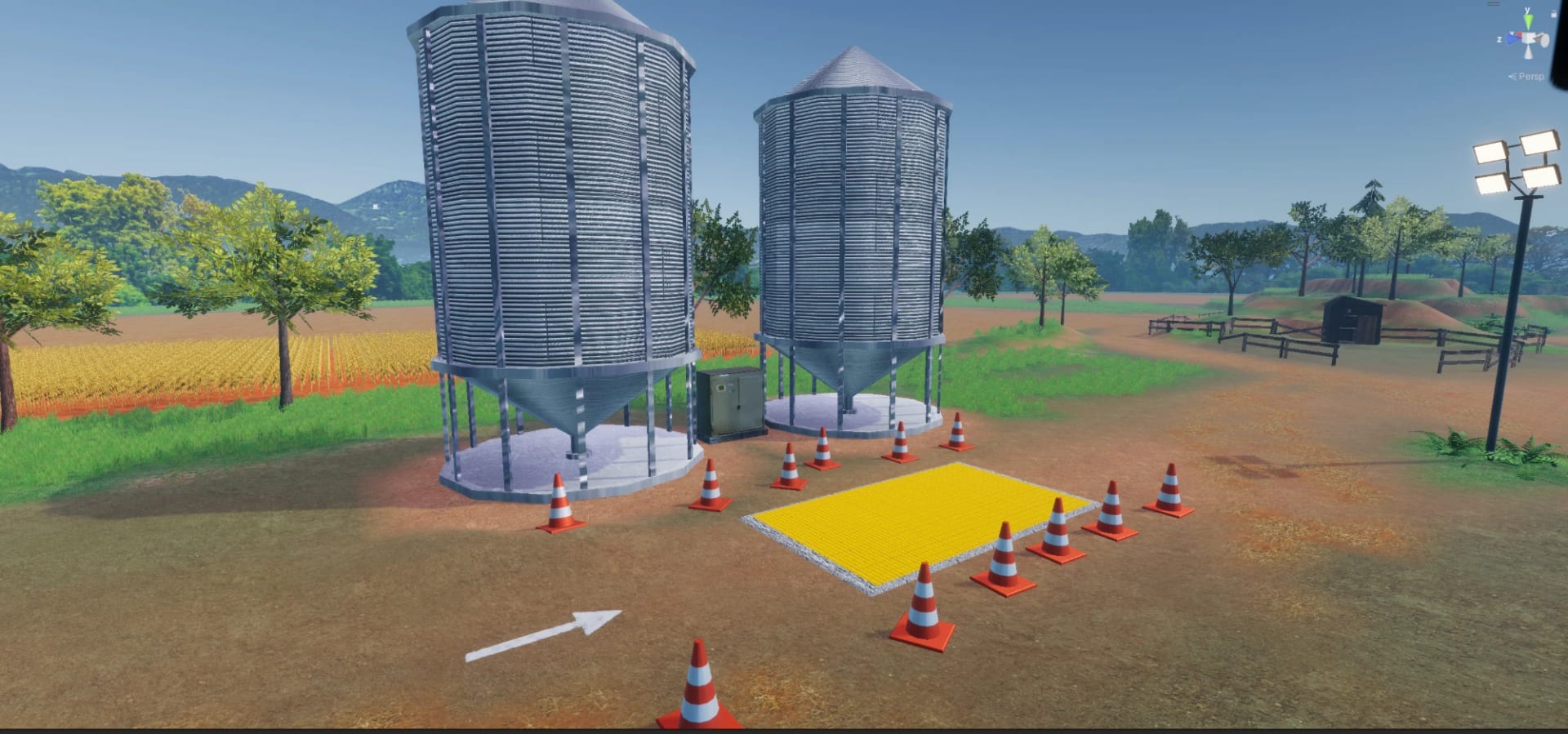
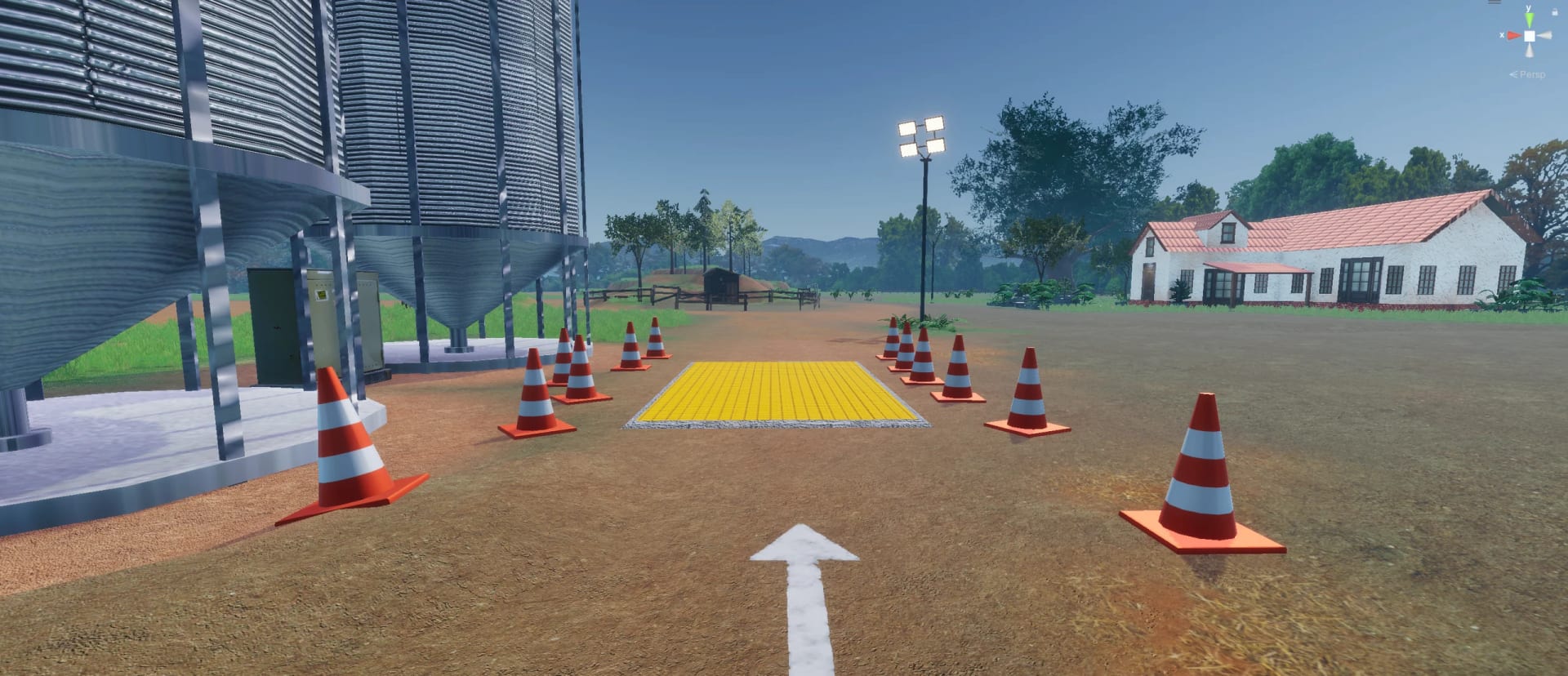
The yellow unloading pit by the silos, with cones and an arrow on the ground
03

Highlight Areas

Visible from anywhere on the farm

Each step is an area that glows on the ground. The farther the operator is from it, the bigger and taller it appears, so it can be found from anywhere on the farm, even across fields and sheds. Driving the machine inside the area completes the step on its own, with no button to press, and the next area appears.

Function

Keep the player oriented on a large farm, with no minimap at all

Design Approach

Decisions made:

  • Turn each step of the procedure into an area that glows on the ground
  • Make each area grow bigger and taller the farther the machine is from it
  • Complete the step on its own once the machine is inside, with no button
  • Mark the exact spot to park a cart with a highlighted square on the ground

Player Impact

Allowed players to...

  • Find the next goal from anywhere on the farm, even across fields and sheds
  • Keep both hands on the controls, since just arriving completes each step
  • Cross a large map with no minimap, guided only by the areas on the ground
  • Park the grain cart with precision, exactly inside the highlighted square
04 Object RingsDiegetic interaction on PC, VR and mobile
04

Object Rings

Diegetic interaction on PC, VR and mobile

Objects to use, like the ignition key, spin a blue ring. On PC the operator points the camera at the object and presses interact, on mobile a contextual button lights up, and in VR the hand turns the key and steers the wheel. The interface lives on the machine, inside the cabin, where an operator expects it.

Function

Show what to touch in the cabin without leaving the cabin view

Design Approach

Decisions made:

  • Mark each object to use, like the ignition key, with a spinning blue ring
  • Keep every interaction on the machine itself, where an operator expects it
  • Adapt the same interaction to PC, VR and mobile, with the same steps
  • Light up contextual buttons on mobile only when an object can be used

Player Impact

Allowed players to...

  • Spot the right control in the cabin at once, starting with the ignition key
  • Stay inside the cabin view, with no menu breaking the sense of driving
  • Reach out and turn the key and steer the wheel with their own hands in VR
  • Carry the same steps from PC to VR or mobile without learning them again
05 Narrator & Quest TextWhat to do, where and which step
05

Narrator & Quest Text

What to do, where and which step

The quest panel shows what to do now, where to go and which step is running, and a narrator voices every step. I wrote all the narrator's lines and the quest texts and worked with the narrator directly, keeping each instruction as simple and direct as possible while still clear to anyone in the cabin.

Function

Teach every step by voice while the eyes stay on the field ahead

Design Approach

Decisions made:

  • Split every instruction on the panel into the action, the place and the step
  • Write every quest text, tooltip and narrator line to be short and direct
  • Give every step of the course a narrator's voice on top of the panel text
  • Work with the narrator directly on how each step of the course is delivered

Player Impact

Allowed players to...

  • Listen to each step while they drive, with their eyes kept on the field
  • Know at a glance what to do now, where to go and which step they are on
  • Follow the same course whether they are a child or an expert of the machine
  • Feel guided as if an instructor were sitting right beside them in the cabin
06 Training SelectionTrainings and training stages
06

Training Selection

Trainings and training stages

Operators arrive with very different experience, so one fixed course would bore an expert or lose a beginner. I split the course into trainings, each one a situation, from the onboarding through the whole machine to harvesting in rain or on uneven ground, and split each training into stages an operator can start from or skip.

Function

Let every operator start training right where their knowledge ends

Design Approach

Decisions made:

  • Split the course into trainings, each one built around a real situation
  • Split every training into stages, and open each stage as a starting point
  • Name every training and every stage, and write the text of each one
  • Keep the steps modular, quick to add, cut or reorder in any of the trainings

Player Impact

Allowed players to...

  • Train the situation they need, from harvesting in rain to uneven ground
  • Skip the stages they already know and start where their knowledge ends
  • Practice a single task, like starting the machine, without the whole course
  • Find a course that fits their own level, from a first-timer to a veteran

Behind the Feature

How the course was built

01 Quest Framework52 steps · Waypoints · Next-step arrow · Highlight areas · Stages

Goal

Teach a 52-step procedure while driving

  • Show one step at a time, so the operator always knows where to go next
  • Follow the industry's standard procedure, in the order operators learn it
  • Let an operator repeat one task or start from wherever their knowledge ends

Constraints

Hands on the controls at real speed

  • Complete every step without a button on screen, with both hands driving
  • Keep the course readable inside a moving cabin, in VR and on mobile alike
  • Find every step on a large farm with no minimap and no list on the screen

Process

  1. Procedure mapped first I mapped all 52 steps with the engineers and operators who teach the industry's procedure, using manuals, training videos and my own time driving the real machines.
  2. Steps as waypoints Each step became a waypoint, a place, a position or an action to complete, chained in order, so the arrow, the areas and the autopilot all read the same data.
  3. One area at a time Only the next area shows, glowing on the ground and growing taller with distance, and driving into it completes the step on its own, with no button to press on screen.
  4. Trainings and stages I split the course into trainings for real field situations and each one into stages to start from, keeping steps modular so they can be added, cut or reordered as it changes.

The decision that made it work

Tie every step to a place the machine reaches

Turning each step into a waypoint made the whole procedure spatial, so the operator learns it by driving to each next place with eyes on the field, and the same data drives the arrow, the areas and the autopilot.

Result

A course operators complete hands-on

Operators went through the full procedure with both hands on the controls, guided one step and one direction at a time, and could restart from any stage, so beginners and experienced drivers used the same course.

Impact

How the quests shape the training

  • One Step Ahead

    Only the next area shows, with an arrow pointing to it, so the operator focuses on one action at a time and never has to decode a long list of instructions while driving.

  • Always Oriented

    Seeing the next area rise over the fields from anywhere on the farm, operators never wonder where to go, and a large map feels easy to cross without a minimap on the screen.

  • Instant Feedback

    A step completes the moment the machine reaches the area or the action is done, so operators feel each correct move confirmed at once and keep their hands on the controls.

  • A Familiar Cabin

    With the interface living on the machine itself, operators read the cabin as their own and reach for the real control right away instead of looking for a button on the screen.

  • An Instructor

    The narrator voices every step, so operators listen while they drive and keep their eyes on the field, as if an instructor were sitting next to them in the cabin.

  • Any Controller

    The same quests read the keyboard, both panels and VR, so an operator who learns on one setup feels at home on any other, from a stand at a fair to a dealership.

Design Iterations

More than twenty big iterations changed how the simulators were used, and many smaller ones refined the mechanics and the look. Before every fair, Agrishow every year and events across Brazil, a new version adapted something. These are six of the big ones.

01 From Free Drive to QuestsThe simulator became a course

01 From Free Drive to Quests

Problem

Free driving never taught the procedure

The first versions let people drive the machine freely. It impressed at a fair, but a new operator could skip every step the real job depends on, from the horn to the header, and leave without learning the procedure.

Cause

Nothing linked the machine to the job

The simulator reproduced the machine and its physics, but nothing connected those controls to the sequence of the industry's standard procedure.

Solution

Turned the procedure into a guided quest

A machine you can drive is not yet a course. The procedure had to become the structure of the experience, so the next correct action is always the one the simulator asks for, in the same order the industry teaches.

  • Translate the standard procedure into quests on waypoints and highlights
  • Write a full onboarding of 52 steps, from the ignition key to the header
  • Write every quest text and tooltip, one step of the real procedure at a time

Result

The simulator became a course

The product changed what it was for. The same machine now served two audiences with two modes, a training course that operators finish in order and a free experience for the crowd passing by at a fair.

  • The simulator became a course that teaches the procedure in order
  • Free driving stayed for fair visitors and for experienced operators
  • New operators learned every step the real job depends on, in order
02 The Ten-Step Fair QuestA complete harvest in ten minutes

02 The Ten-Step Fair Quest

Problem

The full course did not fit a fair

At a fair each visitor had about ten minutes, and a line waited behind them. The 52-step onboarding could not fit, and a shorter version still had to feel like a complete harvest from start to finish.

Cause

Quests were built as one long chain

The quest system was built for the full course as one fixed sequence, so any shorter version meant rebuilding the chain by hand.

Solution

Made the quests modular

The fix went into the system before the content. Once quests could be cut and recombined like parts, a short harvest for a fair became one more arrangement of the same steps, built in a fraction of the time it used to take.

  • Restructure the quest system so quests can be cut and reassembled fast
  • Design a ten-step version that starts the machine and harvests one strip
  • End the fair version with the grain delivered, as one complete harvest cycle

Result

A complete harvest in ten minutes

A constraint from the fairs improved the whole product. The modular system that made the short version possible became the way every new course was built afterwards, for fairs and dealerships alike.

  • Every visitor in line had a complete harvest in about ten minutes
  • The short fair version still felt like a whole harvest, start to end
  • The same system built new training courses without starting over
03 The Digital PanelA lighter entry tier

03 The Digital Panel

Problem

The cabin was heavy to take to fairs

The simulator traveled by truck to every fair, and the physical panel made it heavy, slow to set up and costly in staff. The partner needed a lighter and cheaper option that kept every control of the machine.

Cause

Every control lived on physical hardware

The machine's functions could only be reached through the physical panel, so the product had no lighter setup to offer a fair or a dealership.

Solution

Moved the panel onto a touch screen

The question was which part of the cabin made it heavy and costly, and the answer was the panel. Moving it into software kept every control while turning the most expensive part of the hardware into a simple screen.

  • Put the full panel of the machine on a touch screen, keeping every control
  • Use a plain screen with a touch overlay to keep the cost of the tier down
  • Keep the same buttons and behavior inside a housing that opens and closes

Result

A lighter entry tier

A logistics problem turned into a product decision. The lighter setup opened a cheaper way into the product for buyers who could not afford the premium cabin, without changing a single step of the course.

  • The simulator traveled lighter and cost less to set up at every fair
  • The digital panel became the entry tier, below the premium cabin
  • Operators kept every control of the machine on the touch screen
04 Vehicle SwapShorter fair sessions that flowed

04 Vehicle Swap

Problem

Walking between machines wasted time

At a fair, leaving the harvester and walking to the tractor took time a short visit did not have, and visitors lost the thread of the harvest on the way.

Cause

Swaps followed the full course on foot

The fair quest inherited the walk between machines from the training course, where it teaches the job but costs minutes a fair visit does not have.

Solution

Added a button that swaps machines

Realism stays where it teaches and gives way where it only costs time. The fair version dropped the walk, a step that teaches nothing in ten minutes, while the full course kept it, since there it is a real part of the job.

  • Add a button that takes the visitor straight to the other machine at fairs
  • Make the fair quests prompt the swap, separate from the training course
  • Keep the walk between machines in the full course, where it teaches the job

Result

Shorter fair sessions that flowed

The fair experience became a design with rules of its own, separate from the training, which let each version serve its own audience at its own pace and depth without forcing a compromise on the other one.

  • Fair sessions flowed from one machine to the next with no walking
  • Visitors never lost the thread of the harvest from start to finish
  • Visitors who only wanted to drive jumped between machines freely
05 Our Own HardwareA cabin the partner could produce

05 Our Own Hardware

Problem

The real parts could not stay

The first simulators used the machine's real panel and joystick, but the manufacturer could not release them for good, since they were costly and an industrial secret, and the partner needed its own.

Cause

The product depended on another's parts

The product depended on parts it could not own, so without them the simulator had no controls that behaved like the machine.

Solution

Built our own panel and joystick

Owning the controls was the only way to own the product. Reverse engineering the real panel and joystick and rebuilding them with our own electronics kept the feel of the machine and removed the dependency on the manufacturer.

  • Build a panel of our own for the cabin, based on the machine's original
  • Build a joystick of our own on an ESP32 board, with its parts printed in 3D
  • Write our own joystick code and map every input from the real machine

Result

A cabin the partner could produce

The simulator became a product the partner could build, assemble and sell on its own terms, and owning the hardware opened the room to design tiers of it for buyers with very different budgets and needs.

  • The partner could produce the premium cabin entirely on its own
  • The controls in the cabin behaved exactly like the real machine's
  • A simpler tier with market controllers joined the premium cabin line
06 Stylized RealismA look the manufacturers loved

06 Stylized Realism

Problem

Pure realism did not impress

The partner first asked for a fully realistic look, then found it plain and less beautiful than expected, and asked to change the pipeline more than once.

Cause

Raw realism flattens color and light

The standard realistic setup copied the field but lost the vibrance that makes a scene feel alive and real to the eye.

Solution

Tuned a stylized, realistic look

The target moved from a copy of the field to what the eye accepts as real. Tuning color, light and materials toward that target, and testing it on every platform, set a look that reads as true and pleases at the same time.

  • Build versions in HDRP and URP about four times to compare the looks
  • Tune colors, vibrance, sky, shadows and light until the farm looked best
  • Rework the materials with metallic and specular maps for every platform

Result

A look the manufacturers loved

Art direction became part of the case for the hardware the software ran on, which the whole venture needed from the start, since the manufacturers judged every simulator first by how it looked on screen.

  • The final look became a stylized realism, light on every platform
  • The farm looked more beautiful than raw realism on every screen
  • The manufacturers loved it, after earlier simulators let them down

Level Design

Feature Introduction

Designing the farm around the procedure

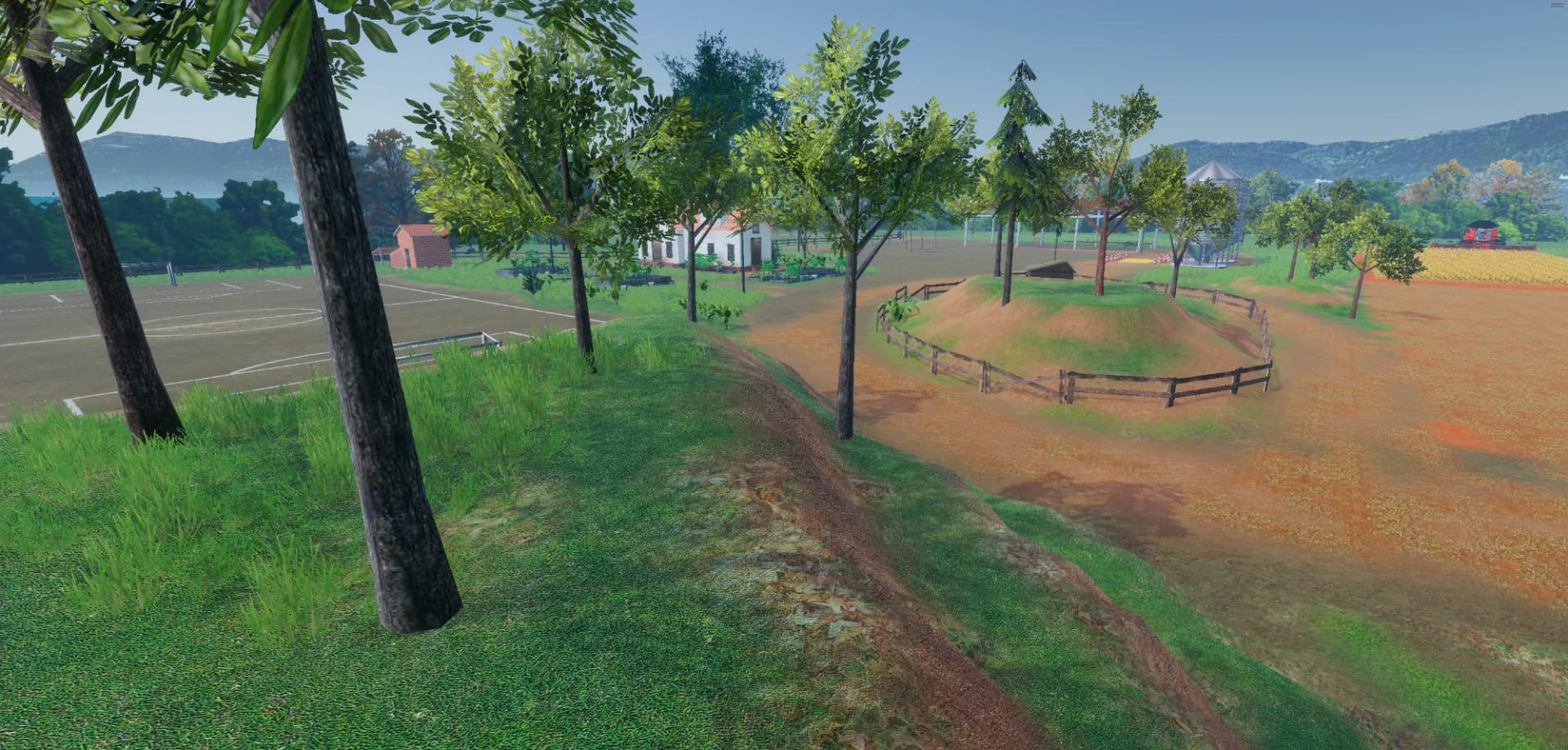
A dirt path curving between grass banks, a fenced mound and the fields

I approached the map from the procedure outward, laying out the farm around the places each training needs before placing a single house or field. The first rule was physics. A combine harvester cannot turn tight, so on fields of real, uneven sizes I placed every waypoint at the distance that lets each machine draw its turn on its own, which makes guided maneuvers feel instinctive. Then I shaped the space to guide the driver. Props and paths funnel the tractor around the crop and away from areas the course does not use, so the farm itself shows the way without a single sign. The built area is about a fifth of the planned map, which also had a town, a fuel station and a muddy area for freeing stuck carts. The result is a map that teaches without words, where every guided maneuver happens where the physics of the machine makes it feel natural, from the first row to the last turn.

Design Principles

  • Lay out the farm around the places each training needs, so every step of the procedure happens where it would on a real farm
  • Let the real physics of each machine draw every turn, so guided maneuvers feel the way they do in the field, with the wide turns of a heavy machine
  • Guide drivers with the shape of the space, so the farm itself shows the way with no extra signs on the screen, in training and in free drives
  • Keep the crop and the routes apart, so free drives and training sessions never damage the field that the course depends on for every session

Feature Breakdown

Map and Maneuvers

01 Waypoints & TurnsPhysics-Driven Routes
01

Waypoints & Turns

Physics-Driven Routes

A combine harvester cannot turn tight. It makes a wide turn to come back into the next row, and the row has to start exactly where the last one ended. I placed every waypoint at the distance that lets the real physics of each machine draw that turn on its own, in reverse or forward, with the GPS guiding the autopilot.

Function

Make every guided maneuver feel instinctive and true to the real field

Design Approach

Decisions made:

  • Space every waypoint so the real physics of each machine draws the turn
  • Set each new row to start exactly where the last row of the harvest ended
  • Place reverse and forward approaches for parking the carts and the header
  • Iterate the waypoint positions until every maneuver worked perfectly

Player Impact

Allowed players to...

  • Make the wide turn of a real combine harvester as they do in the field
  • Keep every row of the harvest aligned, starting where the last one ended
  • Back a cart into a tight spot with the same precision as on the real machine
  • Maneuver by instinct, as every turn follows the machine's own physics
02 Funnels & RoutesGuided Paths Through the Farm
02

Funnels & Routes

Guided Paths Through the Farm

The tractor has its own route through the farm, shaped so it can pass without crushing the crop or reaching places it should not. I placed elements in the level on purpose to funnel that path and make the maneuver easier, so the farm itself guides the driver without extra signs on the screen, even in free mode.

Function

Keep every drive across the farm easy to follow and off the crop

Design Approach

Decisions made:

  • Give the tractor a route of its own to every place it needs on the farm
  • Place props on purpose to funnel the path where the maneuver gets hard
  • Keep every route of the course clear of the crop the harvest depends on
  • Close off the parts of the farm the course does not use, even in free mode

Player Impact

Allowed players to...

  • Follow the right path without a single sign, guided by the shape of the farm
  • Drive the tractor to the silo and the shed without crushing any of the crop
  • Get through the hardest maneuvers more easily where the path narrows
  • Drive anywhere they like in free mode without leaving the area of the farm

Hardware

Feature Introduction

Designing the cabin

The simulators were sold as hardware, and an operator judges a simulator first by how the seat, the wheel and the joystick feel in the hands, long before the training starts. So I designed the cabin around the physical experience of the real machine, defining the seat and its distance to the screen and the wheel, the height of the panels and controls, and the icons of the physical and digital panels. The real parts could not stay, so we read the machine's panel, wheel and joystick through reverse engineering and rebuilt them as our own, which let the partner produce a premium and a standard series without the original parts, with every button mapped to the software. The partner's team assembled the simulators and I coordinated that work, so every one came out with the right design, sizes and measures, and I set them up at the fairs, from the cabin to the VR headsets.

Design Principles

  • Give the operator the physical and mental feeling of sitting in the real cabin, from the seat and its distance to the feel of every control
  • Reproduce the behavior of every real control, so the cabin answers the way the machine an operator knows does every working day in the field
  • Offer tiers of hardware, so the same software sells as a simple simulator or as a premium cabin built by hand, to fit the budget of each buyer
  • Coordinate the assembly so every cabin is built with the right design, sizes and measures, for every fair it traveled to by truck across the country

Feature Breakdown

The hardware, in detail

01 Multifunction JoystickBuilt from scratch · ESP32 · 3D print
01

Multifunction Joystick

A harvest joystick built to the machine's measures

The joystick carries the harvest controls, so we built ours from scratch. I designed it and modeled it in 3D to the original's exact measures, we wired its buttons to an ESP32 board and wrote our own joystick code, so every button worked as on the machine and the quests could read each input the operator makes.

Function

Give the partner a joystick true to the machine, cheaper to make

Design Approach

Decisions made:

  • Build our own joystick from scratch, modeled to the original's measures
  • Test joysticks from the market against the original, for both cost and feel
  • Keep every button where the operator's hand expects it on the machine
  • Map every input of the joystick to the function it has on the real machine

Player Impact

Allowed players to...

  • Hold a joystick with the shape and feel of the one on their own machine
  • Open the unloading tube and release the grain from the joystick itself
  • Push the joystick halfway and let it lock to hold the speed, as in the field
  • Get feedback on every press, since the quests read even the smallest input
02 Steering WheelsLimited travel · Self-centering · Two tiers
02

Steering Wheels

Two series for two tiers

A machine's wheel has limited travel and returns to the center on its own, while common wheels spin freely. We tested several and built two series, a premium one with a wheel that centers itself through the physics of the software, and a standard one with a normal wheel, lighter and more casual, at a much lower cost.

Function

Match each wheel's feel to the physics, from premium to standard

Design Approach

Decisions made:

  • Test several steering wheels for their cost against the accuracy they give
  • Choose a self-centering wheel with limited travel for the premium series
  • Choose a normal, lighter wheel for the standard series at a lower cost
  • Drive the premium wheel from the vehicle physics already in the software

Player Impact

Allowed players to...

  • Feel the wheel return to the center after a turn, as it does in the field
  • Feel bumps, holes and wrong turns come through the wheel in their hands
  • Train the same course on either series, from the premium to the standard
  • Drive the lighter wheel of the standard series with ease on a first visit
03 Physical PanelOur own panel · Buttons, sensors and lights
03

Physical Panel

The machine's panel rebuilt as our own hardware

The physical panel is our own rebuild of the machine's panel, with about fifty buttons, sensors and lights. I designed its layout and its icons from the real panel and mapped every button to the software, so each one answers as on the machine and the quests can read every press the operator makes.

Function

Put the whole panel of the real machine in the operator's hands

Design Approach

Decisions made:

  • Rebuild the panel of the machine as our own, with its sensors and lights
  • Design the layout and every icon of the panel, based on the real machine
  • Map each of its fifty or so buttons to the function it has in the software
  • Set the height and distance of the panel in the cabin for comfortable use

Player Impact

Allowed players to...

  • Find every button right where it sits on the panel of their own machine
  • Trust each press, since every button answers just as it does in the field
  • Know a step of the course is done the moment they press the right button
  • Reach every button comfortably, sitting just as they do in the real cabin
04 Digital PanelTouch screen · Same layout · Button behavior
04

Digital Panel

The same panel on a touch screen

The digital panel is software that lives on the hardware, so its design had to make a flat screen behave like real buttons. The layout, the icons and the behavior of every control follow the machine's own panel, so an operator moves between the touch screen and the premium cabin without having to relearn a single control.

Function

Make the simulator lighter and cheaper without losing one control

Design Approach

Decisions made:

  • Rebuild the full physical panel on a touch screen, with the same buttons
  • Use a common screen with a touch overlay instead of a costly touch panel
  • Design a cabin housing for the touch screen that opens and closes
  • Offer the digital panel as the entry tier, lighter to take to every fair

Player Impact

Allowed players to...

  • Reach every control of the machine on the touch screen, with none missing
  • Move between the digital and the physical panel with nothing new to learn
  • Open or close the housing of the screen and sit comfortably in the cabin
  • Train the same course on the entry tier as they would in the premium cabin

Behind the Feature

How the joystick was built

01 Multifunction JoystickReverse engineering · 3D model to measure · ESP32 · Input mapping

Goal

A joystick true to the machine, cheaper to make

  • Keep every button where the operator's hand expects it on the real machine
  • Map every input to the same function it has on the real combine harvester
  • Let the quests of the course read each input the operator makes on it

Constraints

The real part could not stay in the cabin

  • Rebuild the joystick as our own, since the original part could not be used
  • Match the feel of the original at a cost the partner could produce in series
  • Fit every button inside a grip that matches the original's exact measures

Process

  1. Market joysticks tested We compared joysticks from the market with the original on cost, button layout and feel, and none matched all three, so we decided to build our own from scratch and own the design.
  2. Modeled to measure I measured the original and modeled the joystick in 3D to its exact dimensions, keeping each button at the position and angle the operator's hand expects.
  3. ESP32 and our own code We wired its buttons to an ESP32 board and wrote our own joystick code, so the cabin PC reads it as one device and every button reports its own input to Unity.
  4. Mapped to the procedure Every input was mapped to its function on the machine and exposed to the quest system, so each step of the course can wait for the exact button it teaches before moving on.

The decision that made it work

Build the joystick from scratch

No market joystick matched the feel of the machine at a price the partner could produce, so we built our own. Owning the part gave us the measures, the buttons and the code, and let the course read every input directly.

Result

A joystick the partner could produce

Operators found every harvest control where their hand expected it, the quests could check each press, and the partner got a joystick true to the machine that it could produce for every cabin, at a cost no market joystick matched.

Art Direction

Feature Introduction

Stylized realism

The real limit of the look was the hardware. The same farm had to look good on PC, in VR and on mobile, so the level of realism was set by what performance allowed. Pure realism also looked plain, so I defined a stylized realism that reads as real while the colors, the sky and the light are tuned to look more beautiful, light enough to run, rich enough to impress and composed to be pleasant to whoever drives. We moved between Unity's render pipelines more than once to get there. I directed the whole look and built most of it, from the lighting, cameras and post-processing to the materials, plants and crops, and rebuilt the machines from the manufacturers' engineering files. The harvest itself, with stubble, flattened plants and straw, was one of the most iterated systems of the whole venture, and every visible 3D model is mine except the machines themselves.
Design Principles

  • Look as real as the hardware allows and more beautiful than raw realism, so the software raises the value of the whole simulator it runs on
  • Keep every frame light, with post-processing and models tuned to run inside the cabin, in VR and on mobile, without losing the look of each machine
  • Make the crop and the ground read like a real field to people who work in agriculture every day, at a fair or in training at a dealership
  • Use a warm, sunny light true to Brazil, with seasons and day and night, so the farm feels like a real harvest day in the Brazilian countryside

Feature Breakdown

Assets and harvest, in detail

01 Machine ModelsEngineering files · 2M to 50K vertices
01

Machine Models

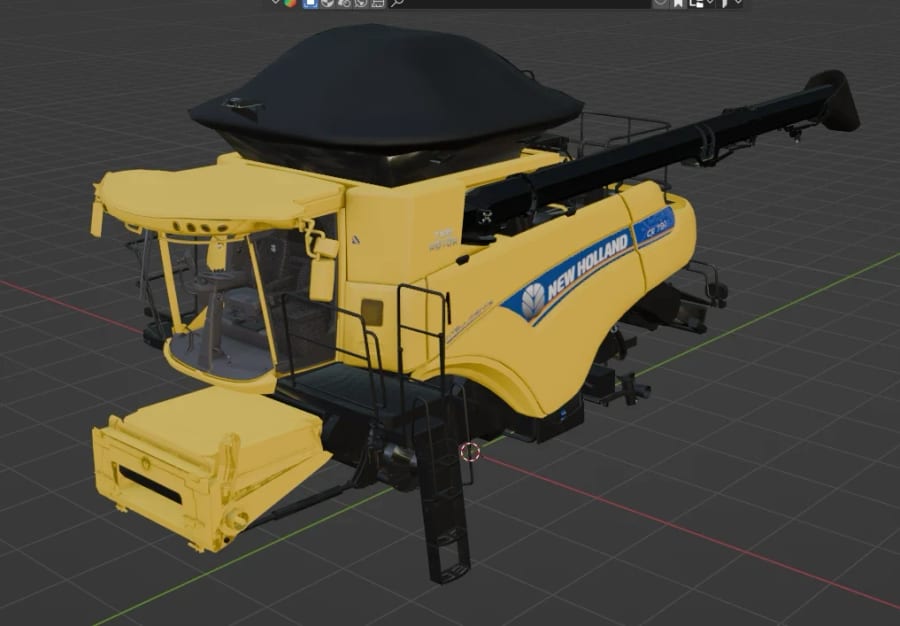
Engineering files rebuilt for real time

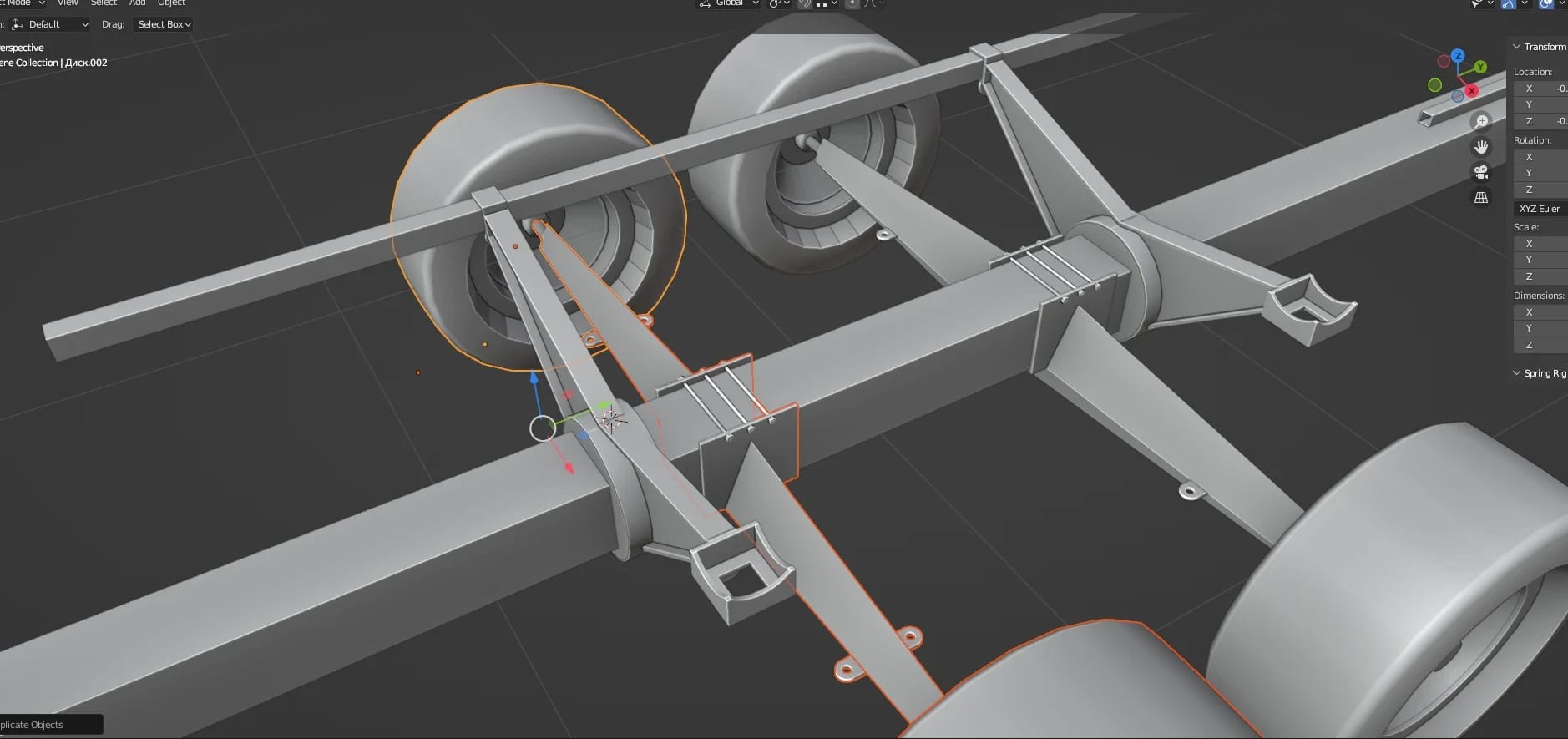
The manufacturers' engineering files carry millions of faces, far more than a cabin PC, a headset or a phone can draw. I rebuilt each machine for real time, cleaning the topology, cutting the vertex count and reconstructing parts, from around two million to around fifty thousand vertices with a high visual quality.

Function

Make engineering models light enough for the cabin, VR and mobile

Design Approach

Decisions made:

  • Rebuild each machine from the engineering files with a clean topology
  • Cut every model from about 2M to about 50K vertices to run in real time
  • Split the parts of each machine into groups to receive their materials
  • Rebuild the wheels and any other part that needed more quality up close

Player Impact

Allowed players to...

  • Drive the machine in VR without the frame rate dropping in the headset
  • Find the same machine on PC, in VR and on mobile, with the same quality
  • Recognize the machine they drive every day, true in every detail they know
  • Look at the machine up close from the outside cameras and find it real
02 Ground & CropsGrass · Soil · Plants · Crops
The farmhouse with planters, grass and soil, and the silos at the edge of the yard
02

Ground & Crops

A field operators recognize, light on every platform

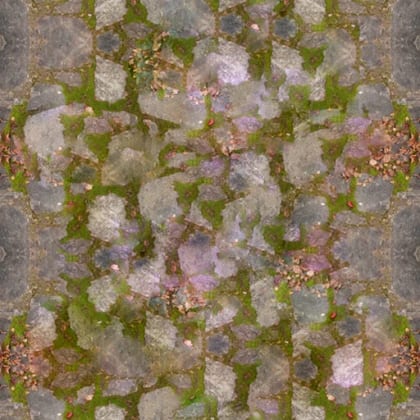
The people driving these simulators work with crops every day, so the field had to be identifiable to them and still light enough for every platform. I painted the ground in layers, grass, tall grass, soil, wet soil and arable soil, and added the foliage, the plants, trees and crops, keeping each crop light for real time.

Function

Make the farm read as a real field to people who work with crops

Design Approach

Decisions made:

  • Paint the ground in layers, from grass and tall grass to wet and arable soil
  • Model the plants, the trees and the crops found on a real Brazilian farm
  • Spread the foliage and the grass across the whole farm and its fields
  • Keep every crop light enough to run in real time on PC, in VR and on mobile

Player Impact

Allowed players to...

  • Recognize the farm and the fields as close to the ones they work every day
  • See the crop standing ready to harvest, just as in a real soybean field
  • Trust what they see, with crops identifiable to people from agriculture
  • Drive on a field that looks as real in VR and on mobile as in the cabin
03 Harvest FeedbackFlattened · Stubble · Straw · VFX
03

Harvest Feedback

The field shows what the machine just did

The field is the operator's feedback. When the harvester passes, the header leaves stubble, the wheels flatten the plants and straw falls behind, with grain flying into the machine. A tractor alone only flattens them, and each plant reacts on its own, so the ground shows the work done and every missed row.

Function

Let every pass of the machine leave a true mark on the crop field

Design Approach

Decisions made:

  • Give each plant its own physical reaction to the machine passing over it
  • Leave stubble behind the header and flatten the plants under the wheels
  • Add a layer of straw texture to the ground wherever the crop has been cut
  • Build the VFX of grain flying into the machine and straw falling behind

Player Impact

Allowed players to...

  • See how much they have harvested from the stubble left behind them
  • Spot a badly harvested strip at once, with the plants still standing in it
  • Tell a harvester pass from a tractor pass by the marks left on the field
  • Feel the harvest working, with grain flying into the machine as it cuts
04 Cameras & LightInside · Outside · Stand-by
04

Cameras & Light

Every camera angle and the light of the scene

I set how every camera works, its angle and its field of view, from inside the cabin, outside, in front and from the side, with a camera that circles the machine in stand-by when nobody is using the simulator. The light and the post-processing were mine as well.

Function

Keep the simulator inviting at fairs, even when nobody is driving

Design Approach

Decisions made:

  • Set the angle and the field of view of every camera, inside and outside
  • Add a stand-by camera that circles the machine when the cabin is idle
  • Teach the camera switch in the course, to see the machine full of grain
  • Light the farm for each season and time of day, with light post-processing

Player Impact

Allowed players to...

  • Pick the view that helps each task, from inside the cabin to the outside
  • See from the outside camera when the machine is full and ready to unload
  • Feel a real harvest day on the farm, under a warm and sunny Brazilian light
  • Find the cabin already alive at a fair, with the camera circling the machine

Behind the Feature

How the machines were rebuilt

01 Machine Models for Real TimeEngineering files · 2M to 50K vertices · Topology · Material groups

Goal

Engineering models light enough for any platform

  • Run every machine in the cabin, in VR and on mobile at a steady frame rate
  • Keep each machine true to the manufacturer's design up close and in motion
  • Prepare each model to receive materials that read like the real machine

Constraints

Millions of faces from the engineering files

  • Start from engineering files built for manufacturing with millions of faces
  • Draw the same machines well on a cabin PC, a VR headset and a mobile phone
  • Keep the parts operators look at closely, like the wheels, in high detail

Process

  1. Clean the topology I rebuilt each machine from the engineering files with a clean topology, removing internal parts no one sees and merging surfaces modeled for manufacturing into single meshes.
  2. A vertex budget Each model went from around two million to around fifty thousand vertices, spending the budget on what the cabin view and the cameras show and cutting the rest.
  3. Rebuild the close-ups The wheels and other parts seen up close from the cabin or by the stand-by camera were rebuilt by hand, since a decimated part reads badly at that distance.
  4. Groups for materials The parts of each machine were split into groups for their materials, so paint, metal, glass and rubber could be tuned apart under the farm's warm light and checked at every time of day.

The decision that made it work

Spend detail where the operator looks

The vertex budget went to what the cabin view and the cameras show, like the wheels and the header, and left hidden parts behind. Every machine kept its look on every platform while running light enough for VR and mobile.

Result

The same machines on every platform

Each machine ran in the premium cabin, in VR and on mobile from the same model, with a high visual quality that the manufacturers loved and that raised the value of every simulator it ran on at the fairs and in the dealerships.

Development

Development

Building the Simulators

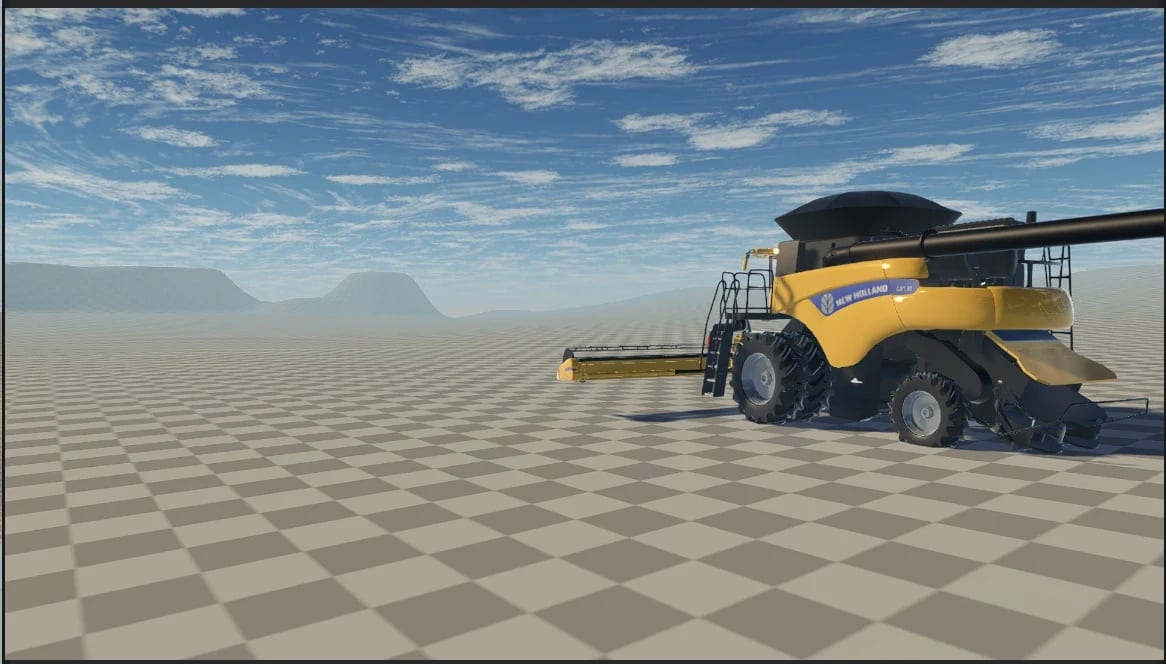
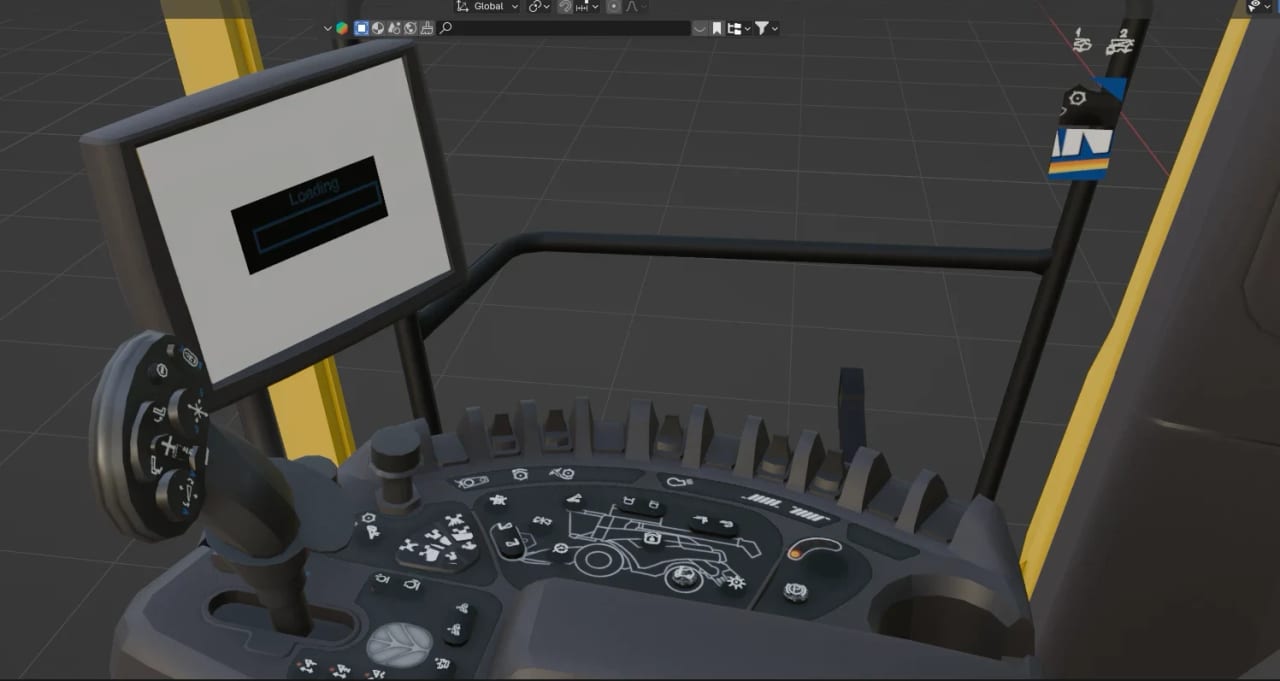
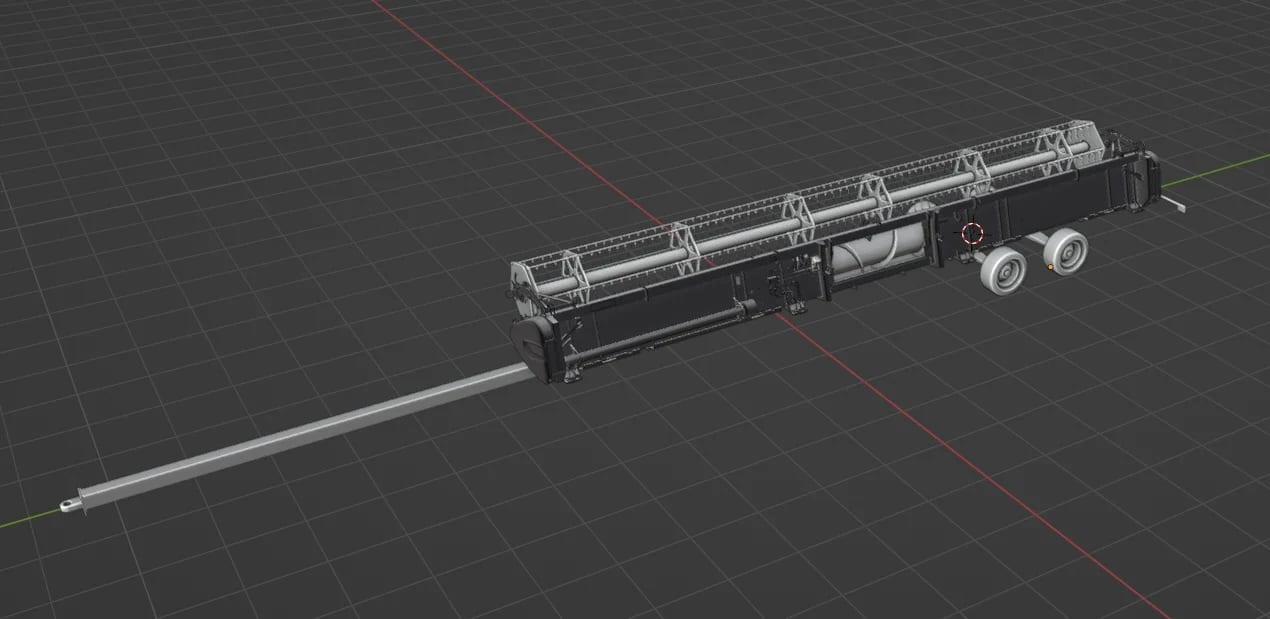
The New Holland combine harvester model in Blender

Combine harvester model

The combine harvester model in Blender before it went into Unity.

Conclusion

Conclusion

Design Conclusions

This was the longest project I led, and it taught me that a simulator has to teach before it impresses. Free driving drew crowds, but only the procedure turned into quests made it a course, and every system, view and control had to arrive at the moment the operator needed it.

It was also when we grew the most as entrepreneurs. Beyond development came pitch decks, presentations, negotiation, suppliers and a partnership to manage, learning to work with very different people in business, through diverging views and obstacles, and to lead a project of this size with a clear roadmap.

Design Takeaways

  • Leading the whole venture

    The project worked only when hardware, software, business and events moved together, so leading it meant keeping one roadmap and one standard of quality for all of them.

  • Business shapes the product

    Pitches, budgets and negotiation shaped what we could build as much as any design decision, so I learned to defend the product's quality in the meeting room as well as in the build.

  • One step at a time

    Showing one area, one arrow and one voice at a time turned fifty-two steps into a course a first-time operator could follow, and made the next action the whole interface.

A monster truck jumping through a ring of fire onto a field of cars

Next project

Big Crusher

A monster truck arena game of satisfying destruction, where every crushed car pays cash.